Auditorium Retrofit Example for Reliable Projection
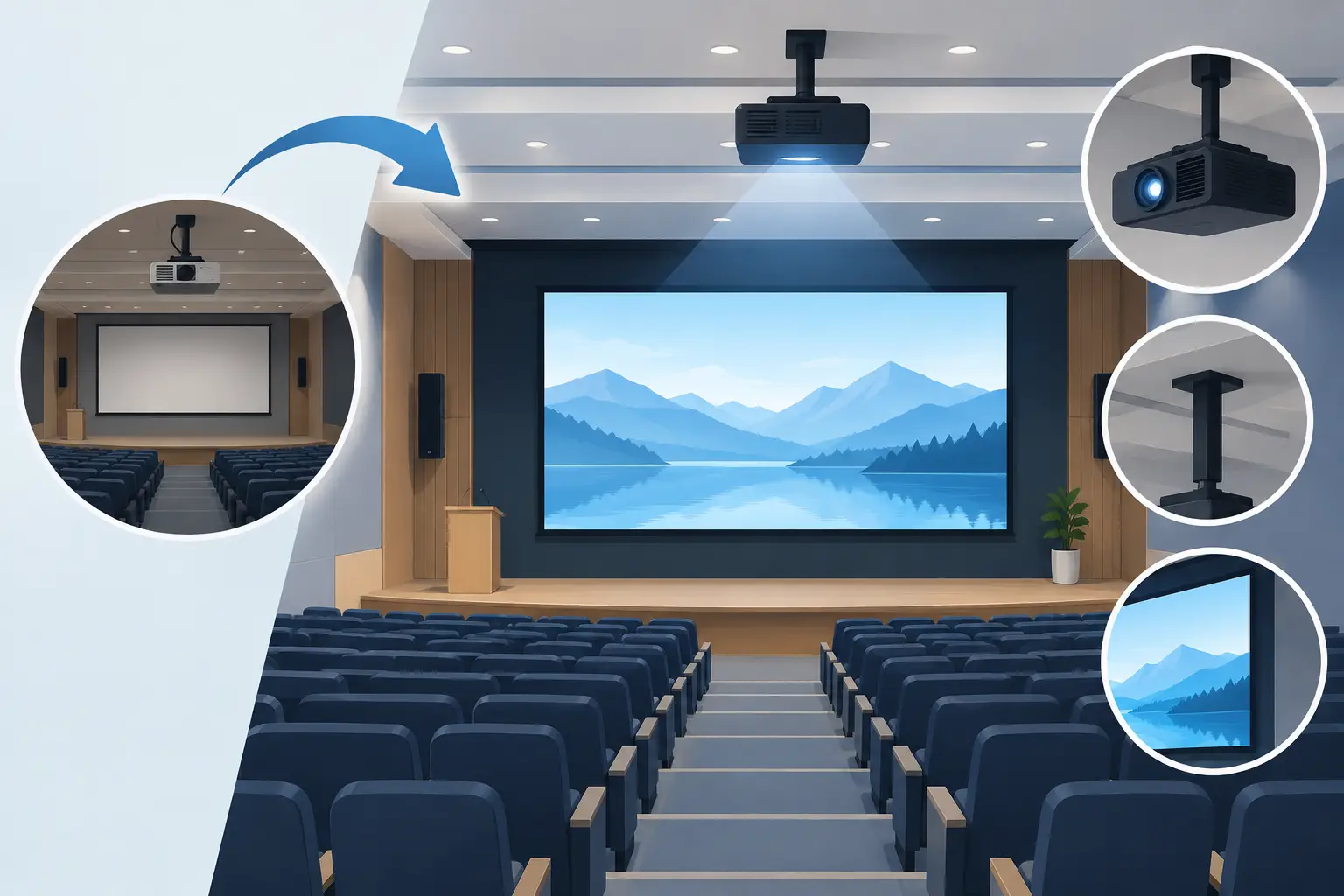
A 700-seat school auditorium can appear to have a projector problem when the real issue is a system problem. In this auditorium retrofit example, a dim image, uneven focus, frequent lamp alarms, and high service calls pointed to a projection installation that had been maintained in parts rather than engineered as a whole. The retrofit objective was not simply to install a brighter projector. It was to restore dependable presentation quality for assemblies, theater productions, guest speakers, and community events while controlling replacement-part costs and future downtime.
Auditorium Retrofit Example: Starting Conditions
The venue used a 12-year-old projector mounted at the rear of the auditorium, approximately 92 feet from a 180-inch diagonal screen. The existing projector could still power on, but its image had lost brightness and color consistency. Technicians also reported intermittent overheating warnings, shortened lamp life, and a visible loss of sharpness at the screen edges.
The first temptation was to replace the projector with the highest-lumen model available. That approach would have created unnecessary cost and could have introduced new problems. The existing mounting position, screen material, ambient-light conditions, input infrastructure, and audience sightlines all had to be reviewed before selecting equipment.
This is common in installed AV. A projector is only one element in an optical and thermal system. A correct retrofit decision depends on throw distance, lens ratio, screen size, content type, room lighting, ventilation, and the service team's ability to support the equipment over its operating life.
The operating requirements
The school identified four primary uses: daytime presentations with partial house lighting, theatrical content with controlled lighting, video playback from modern digital sources, and occasional rental use by outside organizations. The image needed to remain readable during daytime use, but color performance and contrast also mattered for stage events.
The facility team set practical targets. They wanted a 4K-capable signal path, a bright and uniform image, fewer heat-related failures, and replacement parts that could be sourced without extended delays. They also wanted the system designed around the existing rear projection location where possible, avoiding construction work that would interrupt the academic calendar.
Begin With Measurements, Not Product Codes
A site survey established whether the installed location could support a modern projector and lens combination. Technicians measured the exact lens-to-screen distance, screen width and height, projector centerline, mounting height, ceiling clearance, and available intake and exhaust space.
For a 180-inch 16:9 screen, the image width is approximately 157 inches. At a 92-foot throw distance, or 1,104 inches, the required throw ratio is about 7.03:1. This immediately narrowed the lens selection. A standard-throw lens would not work from the existing mount, regardless of projector brightness. A compatible long-throw lens with enough zoom range and lens shift was required.
That calculation also prevented an expensive compatibility error. Projector lenses are not universal. Even when two projector bodies use similar-looking mounts, lens communication, mechanical locking, image circle, shift range, and supported throw ratios can differ. Procurement should confirm projector-series compatibility and the exact lens part number before an order is released.
The survey also found that the old unit was pulling air through a dusty ceiling void. Its filter had been cleaned inconsistently, and fine dust had accumulated around the intake path. A new projector installed in the same condition would likely repeat the same thermal failures. The retrofit therefore included air-path cleaning, improved service access, and a scheduled filter inspection process.
Selecting Projection Hardware for the Application
The final specification used a high-brightness professional projector matched to a long-throw optical assembly. The selection was based on delivered brightness at the screen, not only the projector's published center-lumen rating. Lens transmission loss, operating mode, screen gain, and ambient light reduce the light that reaches viewers.
For daytime presentation use, the system needed enough headroom to maintain legible slides when aisle and safety lighting were on. For theater use, the projector required accurate color reproduction, stable black levels, and image geometry that could be aligned precisely with the fixed screen. The selected lens supported 4K resolution, high contrast, low light loss, and the required shift range for the existing mount position.
Lens quality deserves special attention in an auditorium retrofit. A projector may be capable of high resolution, but an unsuitable or degraded lens can reduce edge sharpness, introduce color fringing, and limit useful brightness. Service teams should inspect the lens for haze, coating damage, mechanical play, and zoom or focus irregularities before deciding whether it can remain in service.
The system also retained a lamp-based projection platform because the school had a maintenance team familiar with lamp replacement and a budget structured around periodic service parts. This was a justified choice, not a default. Laser projection can reduce lamp-change labor and offer longer light-source life, but its initial cost may be higher and its repair economics vary by model. For a facility with trained technicians and predictable operating hours, a lamp-based system can remain commercially practical when supported by dependable replacement lamps, burners, filters, and warranty coverage.
Protecting Runtime With Lamps and Filters
The original installation treated lamps as emergency replacements. That resulted in rushed purchasing, inconsistent part quality, and changes being made after visible brightness loss had already affected events. The retrofit changed this practice by keeping matched replacement lamps available before the projector reached its expected service interval.
A compatible replacement lamp should be evaluated on brightness stability, life expectancy, burner quality, electrical fit, and the supplier's model-level matching process. Very low-cost lamps can create false savings if they produce unstable output, trigger errors, or require early replacement. For service providers supporting mixed fleets, a reliable import alternative can protect margin while maintaining usable performance close to OEM expectations.
Filter maintenance was treated as a planned operating task rather than an occasional cleaning job. A filter must capture dust while preserving sufficient ventilation. If airflow is restricted, internal temperatures increase and lamps, optical components, and power supplies face additional stress. If filtration is weak, dust can reach the optical engine and reduce image quality over time.
The facility established a simple interval based on actual operating hours and room conditions. In a clean auditorium with limited daily use, visual inspection may be sufficient between scheduled services. In a school near construction activity, a stage environment using haze effects, or a venue with dusty ceiling cavities, inspection should be more frequent. The right interval depends on the installation, not a generic calendar reminder.
Integration Work That Prevents Repeat Service Calls
The retrofit also addressed the signal and control path. The old system relied on legacy cabling and an unreliable conversion chain for newer laptops. The replacement design used a modern digital input route, a properly rated signal extension method for the distance, and a control interface that provided clear power, source, and status feedback.
EDID handling and source testing were completed before the auditorium returned to service. A projector that works with one media player but fails with a presenter's laptop is not ready for a live venue. The commissioning team tested common source resolutions, 4K content where applicable, audio routing, blanking, startup behavior, and recovery after power interruption.
Physical installation quality mattered as well. The mount was checked for load rating and vibration, cable routing was secured, and the projector received sufficient clearance for intake, exhaust, lens adjustment, and future lamp or filter replacement. Serviceability is a procurement issue as much as an installation issue. If technicians cannot safely access routine parts, maintenance will be delayed.
Commissioning and Results
After installation, the team aligned the image mechanically before relying on digital correction. Lens shift, zoom, focus, and projector position were adjusted to create a rectangular image with uniform focus. Digital geometry correction was used only where necessary, because excessive correction can reduce effective resolution and add processing artifacts.
The final commissioning process included five checks:
- Verify screen coverage, focus uniformity, color balance, and brightness in both presentation and theater lighting conditions.
- Confirm that all planned sources synchronize at their intended resolutions and refresh rates.
- Test projector status reporting, remote control functions, cooling behavior, and fault notification.
- Record the projector model, lens model, lamp reference, filter reference, installation hours, and approved replacement parts.
- Train facility staff on startup, shutdown, filter inspection, and the escalation procedure for lamp or temperature warnings.
The result was a brighter, sharper image with improved color consistency and fewer interruptions caused by thermal alerts. More importantly, the school received a supportable system rather than a one-time equipment replacement. The maintenance record gave its AV provider a clear basis for stocking parts and planning labor.
For distributors, integrators, and repair businesses, this auditorium retrofit example shows why accessory selection should be part of the initial project scope. ZORSIKA supports this requirement with projector lenses, replacement bulbs, and air filters designed for broad professional projector coverage, practical installation, and dependable service continuity.
The most useful retrofit outcome is not the specification sheet. It is the next event that starts on time, presents clearly from every seat, and does not require an emergency call because a routine part was overlooked.