Can Projector Filters Be Washed? Service Rules
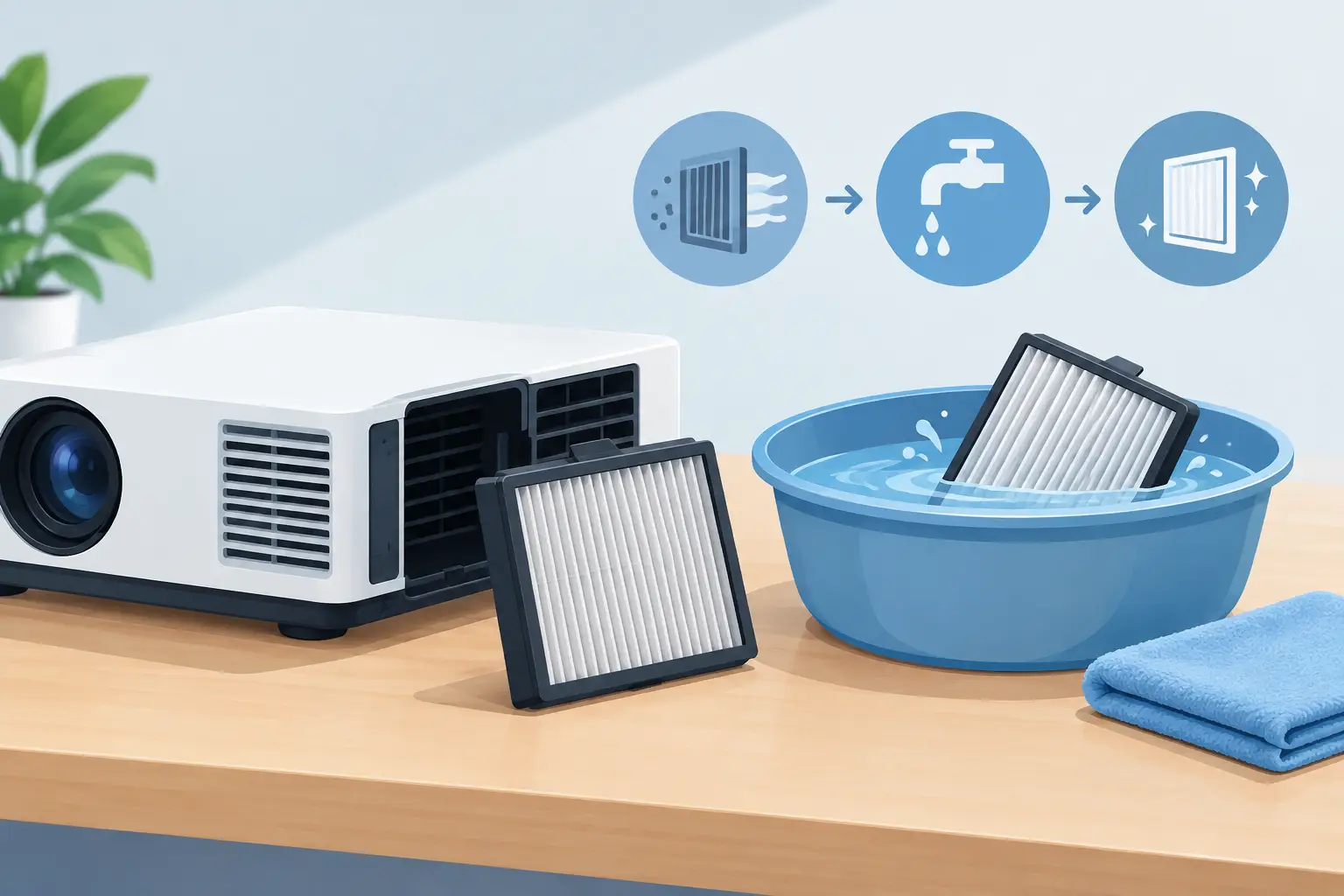
A filter that looks clean after rinsing can still be a poor filter. For service teams managing installed projector fleets, the question, can projector filters be washed, has a conditional answer: only when the projector manufacturer and the filter construction permit it. Washing the wrong filter can reduce airflow, leave moisture near the optical engine, or damage a filter that should have been replaced.
The practical objective is not simply to remove visible dust. It is to restore the airflow the projector was designed to receive while maintaining reliable protection from dust, smoke, fibers, and other airborne contamination. That distinction matters when a projector is supporting classrooms, meeting rooms, exhibition displays, or rental applications where downtime is expensive.
Can Projector Filters Be Washed? It Depends on the Media
Projector air filters are not all made the same. A washable plastic mesh is fundamentally different from a disposable electrostatic or fine-pore filter pad. Before any cleaning method is selected, technicians should confirm the specific projector model and inspect the filter assembly.
Coarse mesh filters, usually mounted in a rigid plastic frame, are the most likely candidates for washing. These are often designed to catch larger dust particles and can sometimes be rinsed with clean water. However, they must be fully dry before reinstallation. “Mostly dry” is not acceptable. Moisture inside a projector can encourage dust buildup, affect electronics, and create avoidable service risk.
Foam filters require more caution. Some open-cell foam types can be gently washed if the original manufacturer identifies them as reusable. Others become brittle, distorted, or less breathable after washing, particularly after long exposure to heat. A foam filter that has lost its shape may no longer seal against the air intake, allowing unfiltered air to bypass the media.
Fine-fiber, pleated, electrostatic, and multilayer filters are generally replacement items. Their filtration performance often depends on a specific fiber structure or electrostatic charge. Water can collapse the media, damage the frame adhesive, or reduce its ability to capture fine dust. Vacuuming may also be unsuitable if it pulls or tears delicate material. When these filters are dirty, replacement is normally the correct service decision.
Why Washing Is Not Always the Lowest-Cost Option
For a distributor, repair center, or AV integrator, cleaning a filter can appear to be the low-cost choice. That calculation changes quickly if cleaning causes a thermal warning, fan fault, premature lamp failure, or contamination of the optical path.
A projector depends on controlled airflow to remove heat from the lamp or light source, power components, and imaging system. A filter that is clogged restricts air volume. A filter that is washed but not dried can hold dust more aggressively once returned to service. A filter that is damaged or incorrectly seated can permit contamination to enter the unit.
The resulting issues can include increased fan speed, overheating messages, reduced light output, unexpected shutdowns, and dust spots in the projected image. In lamp-based projectors, elevated operating temperature can also shorten lamp life. For commercial installations, the labor and disruption associated with one preventable failure can exceed the cost of a correctly matched replacement filter.
This is why filter maintenance should be treated as an equipment-protection process rather than a cosmetic cleaning task.
A Safe Inspection Process Before Cleaning
Start by identifying the projector model and the exact filter assembly. Product documentation, the original filter marking, and the physical dimensions of the frame should all agree. Similar-looking filters may differ in thickness, seal design, airflow rate, or media density.
Remove the filter according to the projector’s service procedure, with the unit powered off, unplugged, and cooled. Do not access a projector immediately after operation, especially a lamp projector. The lamp housing and exhaust area may remain hot long after the image is off.
Inspect the filter under good lighting. If the media is torn, warped, oily, smoke-stained, hardened, or separating from its frame, replacement is safer than cleaning. Gray dust alone does not automatically mean a filter is unusable, but contamination that cannot be removed without stressing the material is a clear replacement indicator.
Also inspect the intake compartment. Loose dust around the filter compartment should be removed carefully using a low-power vacuum or appropriate air-cleaning procedure. Avoid blasting compressed air into the projector body. High-pressure air can drive dust past internal barriers and toward the lens, color wheel, LCD panels, DLP optics, or cooling fans.
When a Washable Filter Can Be Cleaned
If the service manual explicitly permits washing and the filter is a durable mesh or reusable frame assembly, clean it gently. Rinse with clean, low-pressure water. Do not use hot water, aggressive detergents, solvents, or brushes that can stretch the mesh or damage the frame.
Shake off excess water and allow the filter to air-dry completely in a clean, dust-controlled area. Do not reinstall it while damp, and do not accelerate drying with excessive heat. Heat can deform plastic frames and change the fit of the filter door or intake channel.
Before reinstallation, confirm that the filter is flat, intact, and free of lint or residue. The filter must seat fully in its guide or latch. An improperly installed filter may create a bypass path around the media, defeating the purpose of the maintenance work.
After service, reset the filter timer only if the projector model uses one and the filter has been cleaned or replaced according to its maintenance guidance. A timer reset is a recordkeeping action, not proof that airflow has been restored.
Replacement Is the Better Decision in High-Demand Environments
Replacement should be the default for disposable media and for installations exposed to fine dust, smoke, cooking residue, construction debris, textile fibers, or frequent public use. These environments load filters more quickly and often introduce particles that are difficult to remove safely.
It is also wise to replace rather than wash when a projector supports a critical room, an event schedule, or a customer contract with defined uptime expectations. A new compatible filter offers known media condition and predictable fit, reducing uncertainty during preventive maintenance.
For organizations servicing mixed projector fleets, stocking filters by brand and model improves response time. The correct part should be verified by model compatibility, filter dimensions, frame shape, intake location, and media specification. Selecting by appearance alone creates a risk of poor sealing or inadequate airflow.
ZORSIKA supplies projector air filters developed to maintain ventilation while helping protect projector systems from dust and smoke. For professional buyers, the relevant requirement is not merely a low unit price. It is dependable compatibility and consistent filtration performance across the equipment base being maintained.
Set a Maintenance Interval Based on the Site
A calendar-only maintenance schedule is rarely enough. A projector installed in a clean executive conference room may need substantially less frequent filter attention than one operating in a school corridor, retail venue, warehouse training room, or temporary exhibition space.
Technicians should review filter condition during scheduled visits and record the operating environment. Repeatedly dirty filters may point to an HVAC issue, nearby construction, poor enclosure design, or a projector mounted where it draws air from a dusty ceiling void. Replacing filters more often without addressing the source of contamination can become an unnecessary operating expense.
Where projector menus provide filter-hour reminders, treat them as a baseline. Actual inspection should take priority when environmental conditions are severe. Conversely, resetting reminders without examining the filter can conceal a developing airflow problem.
The Service Standard That Protects the Projector
The correct answer to whether projector filters can be washed is not a universal yes or no. Wash only reusable media that the manufacturer approves for washing, dry it completely, and inspect its fit before returning the projector to operation. Replace disposable, damaged, smoke-loaded, or uncertain filters rather than attempting to extend their life.
For professional service operations, a matched replacement filter is often the more economical choice when labor, reliability, and equipment protection are considered together. Clean airflow is a small maintenance detail with a direct effect on projector availability, image quality, and the service reputation behind every installation.