Projector Ballast Versus Power Supply Explained
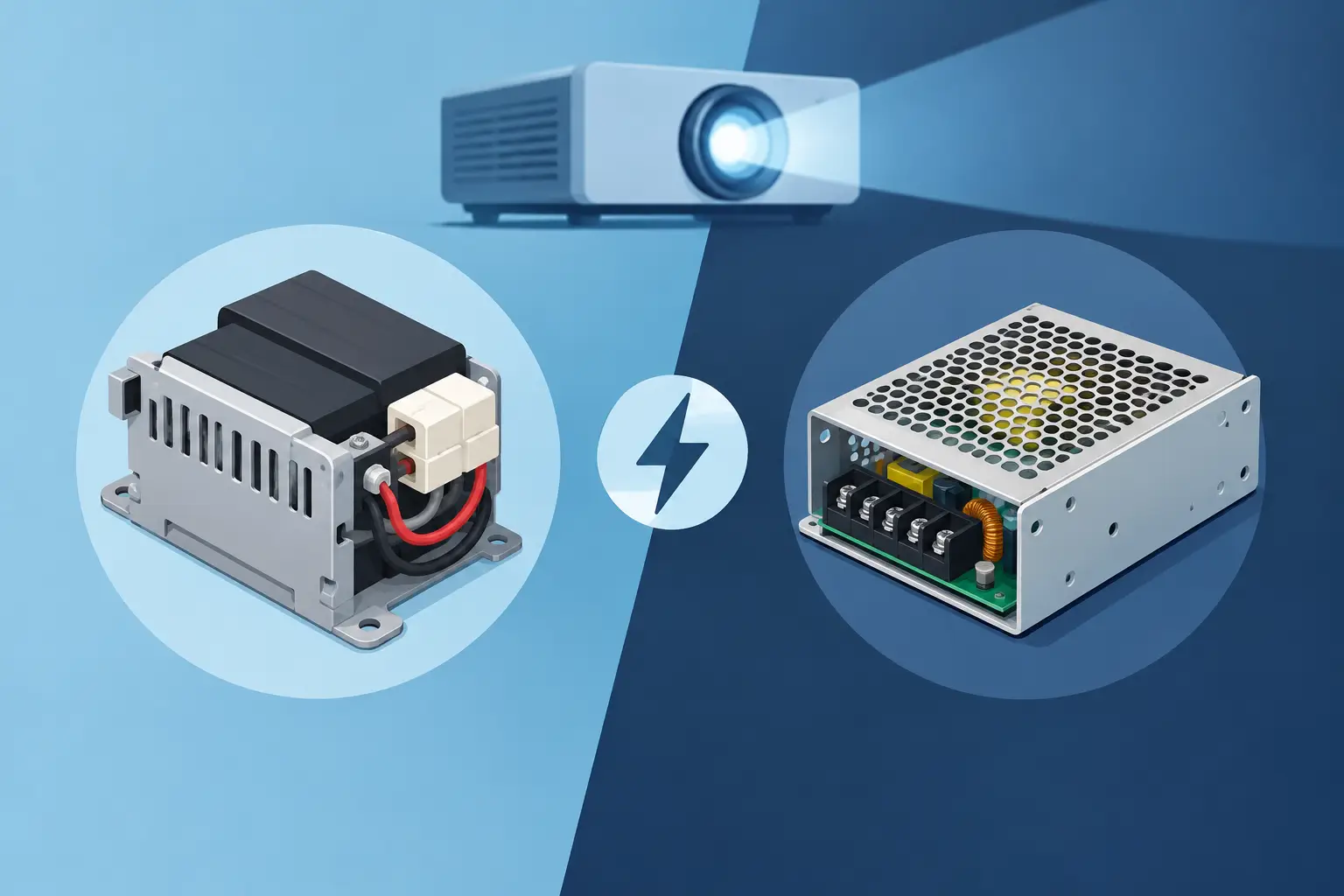
A projector that will not strike its lamp can create a costly service delay, especially when the lamp has already been replaced. The projector ballast versus power supply question matters because these components perform different electrical jobs, produce different failure symptoms, and must be matched differently. Treating them as interchangeable can lead to unnecessary parts purchases, repeat repairs, and avoidable equipment downtime.
For service providers and procurement teams supporting mixed projector fleets, the practical goal is simple: identify the failed stage accurately, confirm the correct part number, and source a replacement that meets the projector's electrical and mechanical requirements.
Projector Ballast Versus Power Supply: The Core Difference
A projector power supply converts incoming AC mains power into the regulated DC voltages required by the projector's internal systems. Depending on the model, it may provide separate voltage rails for the main board, cooling fans, control circuits, color wheel, LCD or DLP electronics, and lamp-driving section. It is the unit that distributes usable electrical power throughout the projector.
A projector ballast is a specialized high-voltage lamp driver. Its primary role is to ignite and regulate an ultra-high-pressure lamp, such as a UHP, P-VIP, NSH, or similar mercury arc lamp. To start the arc, the ballast generates a very high ignition pulse. After startup, it controls current and power so the lamp operates within its specified range.
In short, the power supply feeds the projector. The ballast starts and sustains the lamp. In some projector designs, these functions are physically separate modules. In others, the ballast and power supply are integrated into one assembly, which is why model-specific documentation and part-number verification are necessary before ordering.
Why the Distinction Affects Repairs
A failed ballast can leave the projector powered on while the image never appears. The fans may run, the status LEDs may behave normally for a short period, and the projector may then report a lamp error or enter protection shutdown. If the lamp is known to be functional and properly installed, the ballast becomes a reasonable diagnostic candidate.
A failed power supply often creates broader symptoms. The projector may not power on at all, may cycle on and off, may lose power under load, or may fail to run fans and control electronics consistently. However, symptoms can overlap. A weak power supply rail may prevent the ballast from operating correctly, while a shorted ballast can trigger power-supply protection.
This is why replacing the lamp first, then the ballast, without basic electrical checks can be inefficient. Lamp failures are common, but a new lamp does not correct a defective ballast, poor lamp-door switch connection, failed cooling system, damaged wiring harness, or unstable supply voltage.
The lamp is part of the diagnostic chain
Before identifying a ballast as failed, inspect the lamp module and its surrounding conditions. Check for a broken arc tube, darkened reflector, damaged connector contacts, heat damage, and a lamp-hour counter that was not reset after replacement. Confirm that the lamp module matches the projector model and wattage specification.
Also inspect airflow. A clogged air filter, blocked intake, failed fan, or heat-damaged thermal sensor can prevent lamp ignition or force shutdown shortly after startup. In commercial installations, dust and smoke contamination can affect both lamp life and electrical reliability. A clean, properly ventilated projector reduces the chance of misdiagnosing a thermal protection event as a ballast problem.
Common Failure Symptoms and What They Suggest
No single symptom proves which part has failed, but the pattern is useful. When the projector has standby power but will not boot, loses all indicator lights, or repeatedly restarts, investigate the power supply and its input path. That includes the AC inlet, fuse, power cord, internal connectors, and low-voltage outputs.
When the projector completes its startup sequence, fans operate, and the lamp attempts to start but does not strike, investigate the lamp, ballast, lamp connector, interlock switches, and thermal controls. Audible clicking during ignition may point to an attempted ballast startup, but it is not a complete diagnosis. Some models also store error codes that help distinguish lamp, fan, temperature, and power faults.
Intermittent shutdown requires more caution. It may result from a failing lamp nearing end of life, an aging ballast with unstable output, a power supply dropping voltage under load, or heat buildup. If the image flickers before shutdown, lamp and ballast performance deserve close attention. If the entire projector resets or all fans stop abruptly, the power supply side becomes more likely.
Testing Requires the Right Safety Standard
Ballast circuits are hazardous. They can generate high ignition voltage, and projector power supplies may retain dangerous charge in capacitors after the unit is unplugged. Testing should be performed only by qualified technicians using appropriate tools, service documentation, and safe work practices.
A practical service sequence begins with visual inspection and connector checks, followed by confirmation of correct AC input and low-voltage power rails where service information permits. Technicians should verify fan operation, lamp-door interlocks, thermal sensors, and error indicators before condemning a high-voltage component. If available, testing with a verified compatible lamp can prevent a good ballast from being replaced because of a faulty lamp module.
Do not substitute a ballast based only on a similar connector or physical appearance. Output characteristics, ignition requirements, lamp wattage, control signaling, mounting points, and firmware interaction can differ between projector families. The same caution applies to power supplies. A connector may fit while pin assignments or voltage outputs do not match.
Compatibility Is More Than the Projector Brand
For buyers managing inventory, compatibility should be confirmed against the projector model and the original assembly or board part number. Brand and series name alone are usually not sufficient. Manufacturers may revise internal assemblies during a product run, and regional variants can use different power configurations.
A reliable compatibility review should account for the original part number, projector model, lamp type and wattage, connector layout, mounting configuration, and revision code. Where a replacement is listed as compatible rather than identical, suppliers should be able to explain the cross-reference and the application scope.
Integrated boards require additional care. Some assemblies combine the AC input stage, low-voltage supply, lamp driver, and control interfaces. In that case, the appropriate service part may be described as a power board, lamp power board, ballast board, or power supply unit depending on the manufacturer. Ordering terminology alone is not enough. Use the part number and board markings as the primary reference.
Sourcing Criteria for Service and Resale Operations
The lowest unit price is not always the lowest repair cost. A replacement ballast or power supply that arrives with unclear compatibility, inconsistent performance, or limited warranty support can create repeat labor and damage customer confidence. This is particularly relevant for education, corporate, exhibition, and event installations where a failed projector may disrupt scheduled operations.
When evaluating a supplier, buyers should look beyond availability. Useful criteria include traceable model coverage, clear part identification, stable manufacturing or sourcing control, warranty terms, packaging protection, and responsive technical communication. For distributors and repair centers, consistency across repeat orders matters as much as the performance of the first unit.
ZORSIKA supports professional buyers with projector accessory coverage focused on practical replacement needs, including lamps, lenses, air filters, and related components. For electrical assemblies, accurate identification remains the first step toward a successful replacement and a controlled service cost.
Stock strategy depends on the fleet
High-volume service operations may benefit from stocking frequently used lamp modules and selected high-failure electrical assemblies for their core installed base. Smaller repair businesses may be better served by rapid sourcing based on confirmed part numbers, especially for older or lower-volume models. Carrying broad but unverified inventory can tie up capital and increase the risk of obsolete parts.
Track repair history by model whenever possible. If a certain projector family shows recurring ballast failures after a known lamp-hour range, that information improves both stocking decisions and service estimates. If failures occur mostly in dusty or high-temperature locations, preventive filter replacement and ventilation checks may offer a better commercial solution than electrical parts inventory alone.
Choosing the Correct Replacement Path
The right replacement path begins with the failure pattern, then moves to verification. If a projector has no usable low-voltage power, assess the input and power supply system. If it starts normally but cannot ignite a known-good lamp, assess the ballast-related circuit and protective controls. If it fails after warming up, investigate heat, fans, filters, lamp condition, and voltage stability before replacing either assembly.
A careful projector ballast versus power supply diagnosis protects margin because it reduces return visits, prevents unnecessary parts replacement, and keeps installed equipment operating longer. The most useful habit is straightforward: document the original part number, test the surrounding conditions, and match the replacement to the exact projector configuration before placing the order.