Projector Lens Shift vs Keystone Explained
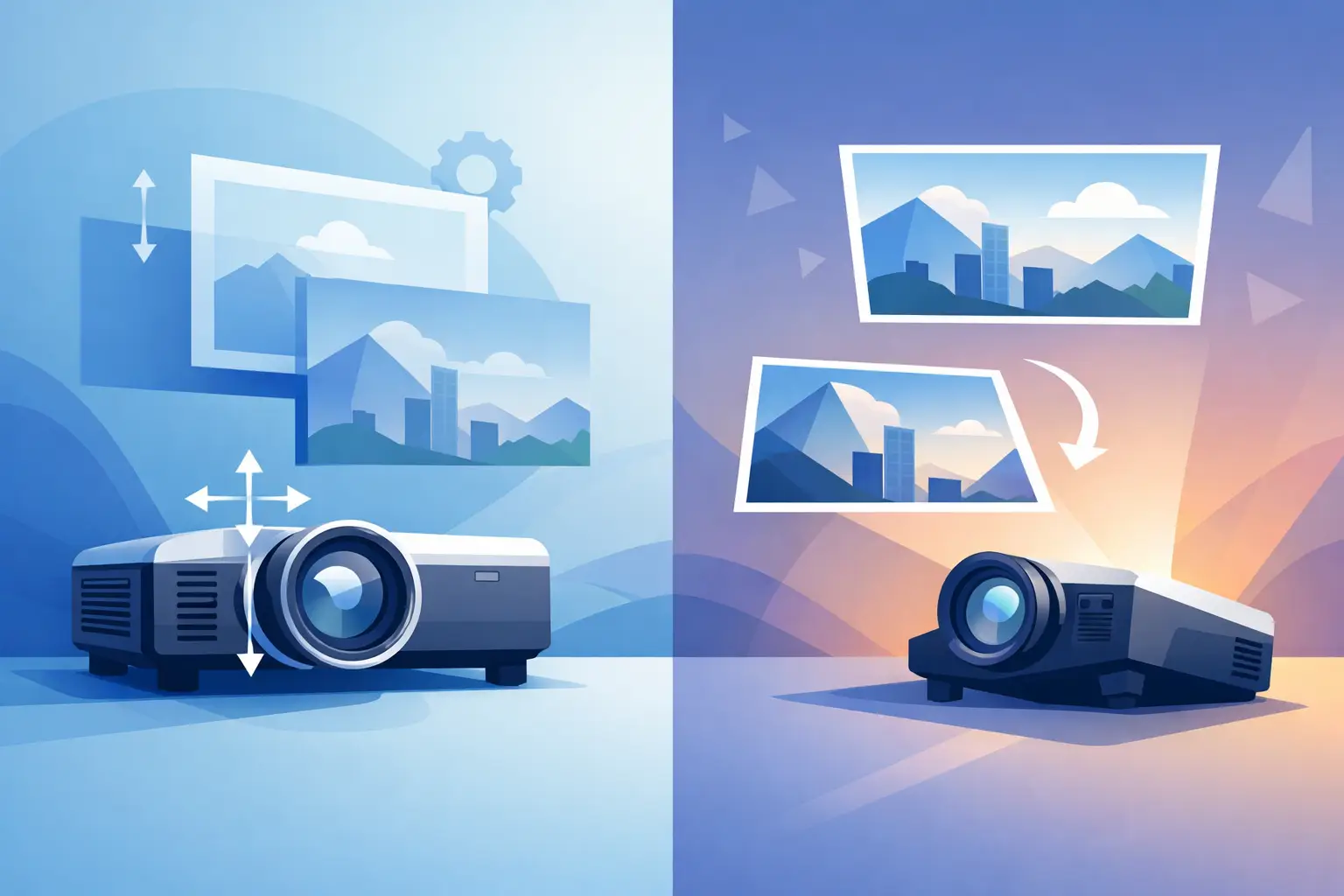
A projector mounted slightly above the screen center can produce two very different service outcomes: a clean rectangular image or a corrected image with reduced usable pixels. The difference comes down to projector lens shift vs keystone. Both functions help adapt an installation to the room, but they work at entirely different points in the projection path. For commercial AV teams, treating them as interchangeable can create avoidable image-quality complaints, compatibility mistakes, and installation limits.
Projector Lens Shift vs Keystone: The Core Difference
Lens shift is an optical adjustment. It physically moves the projection lens assembly relative to the projector's imaging system, allowing the projected image to move vertically, horizontally, or both without moving the projector chassis. The image remains rectangular because the projector is still sending a full, properly aligned image through the lens.
Keystone correction is an electronic image adjustment. It compensates for the trapezoid shape created when a projector is aimed up, down, or sideways relative to the screen. The projector digitally reshapes the picture, reducing or remapping portions of the original image to create a rectangle on the screen.
This distinction matters because lens shift preserves the projector's native imaging performance much more effectively. Keystone is useful when physical placement cannot be changed, but it is a corrective function, not an equivalent replacement for proper projector alignment.
For distributors, installers, and repair providers, the practical rule is simple: use lens shift to position the image whenever the projector and lens support it. Use keystone only for minor correction or applications where installation constraints outweigh the image-quality trade-off.
How Lens Shift Protects Image Quality
A projector with vertical lens shift can be installed above or below the screen centerline while keeping its optical axis parallel to the screen. Horizontal lens shift adds flexibility when ceiling structures, lighting, ducts, or mounting points prevent a centered installation.
Because the image is moved optically, lens shift generally maintains the projector's native pixel structure, resolution, and full image area. A 4K projector can continue to display its intended 4K image without digital geometry processing removing active pixels. This is especially valuable in boardrooms, classrooms, control rooms, museums, and simulation environments where text clarity, fine detail, and straight lines are visible to users every day.
Lens shift does have limits. Every projector-lens combination specifies an adjustment range, often expressed as a percentage of image height or width. A lens may provide substantial vertical movement but little horizontal adjustment, while a higher-end interchangeable lens may offer both. The available range can also change with the selected zoom position and lens model.
Optical quality remains essential. A poorly matched replacement lens can introduce focus inconsistency, color variation, light loss, or edge softness even when lens shift is working correctly. For service businesses supporting installed fleets, lens identification should include the projector model, original lens part number, throw ratio requirement, and required shift range. A lens that fits physically is not automatically the correct optical replacement.
What Keystone Correction Actually Does
When a projector is tilted, the side of the projected image farther from the screen becomes wider than the nearer side. This is the familiar trapezoid effect. Keystone correction digitally scales the wider portion inward so the displayed image appears rectangular.
The correction is convenient, particularly for portable projectors, temporary presentations, rental applications, and quick deployments where the projector must sit on a table or be placed off-axis. Many current models offer vertical keystone, horizontal keystone, corner adjustment, or automatic screen-fit features.
The trade-off is that digital correction reduces the effective image area or redistributes pixels. At modest correction levels, the impact may be acceptable for slides, video playback, or short-term use. At aggressive levels, fine text can look softer, pixel geometry can become more visible, and brightness distribution may be less uniform. The effect is more noticeable on high-resolution projectors and larger screens, where users expect sharp edges across the full image.
Keystone also cannot solve every geometry problem. If the screen is warped, the projector is severely angled, or the lens has optical distortion, digital adjustment may improve the image shape without delivering a professional result. Mechanical alignment, suitable mounting hardware, and the correct lens remain the foundation of the installation.
Digital keystone can affect usable resolution
A projector's native resolution describes the number of physical pixels on its imaging device. Keystone processing does not add pixels. Instead, it modifies the source image to fit within the available pixel area after geometric correction.
For example, when strong vertical keystone is applied, the projector may crop or compress image data at the top or bottom of the frame. The output can still look rectangular from the audience position, but it is no longer displaying the source in the same one-to-one manner as a square, optically aligned image.
This is why technical specifications should be reviewed carefully when comparing projectors for data-heavy commercial installations. A model may advertise broad keystone capability, but that feature should not be interpreted as broad installation flexibility without image-quality consequences.
When Lens Shift Is the Better Choice
Lens shift is usually the preferred solution for permanent installations and image-critical applications. It gives integrators more flexibility in choosing a mounting location while maintaining a square optical relationship between the projector and the screen.
It is particularly useful when a ceiling mount cannot be located exactly on the screen centerline, when a projector must be positioned around building infrastructure, or when multiple projectors need consistent image placement across a venue. In edge-blending and multi-projector environments, preserving native resolution and minimizing geometry processing is often necessary for reliable calibration.
Interchangeable-lens projectors make lens shift even more valuable because the correct lens can be selected for the throw distance and placement constraints. However, buyers should verify the full combination, not just the projector series. Two compatible lenses for the same chassis may have different throw ratios, apertures, shift capabilities, and installation behavior.
For replacement-lens procurement, this is where detailed compatibility support reduces risk. ZORSIKA supplies projector lenses designed for practical field installation, with high color reproduction, low light loss, 4K support, and structural designs intended to simplify replacement work. The correct match should always be confirmed against the application requirements rather than selected by appearance alone.
When Keystone Is the Practical Answer
Keystone has a valid place in professional AV work. A portable presentation projector may be moved between rooms with different table heights and screen locations. An event setup may require a temporary angle because of audience flow or rigging limitations. A service technician may use minor keystone during testing before the final mount position is set.
In these cases, small corrections are often reasonable. The decision depends on viewing distance, source content, screen size, and client expectations. A 3% correction on a temporary training presentation may not create a meaningful concern. A 20% correction on a large-format display showing spreadsheets, CAD drawings, or detailed signage is much more likely to be noticed.
Keystone is also useful when the installed projector lacks lens shift. Many entry-level and portable models provide limited optical placement adjustment, so digital correction may be the only built-in option beyond relocating the projector or changing the mount.
The key is to present keystone honestly in a proposal or service recommendation. It is a practical geometry tool, not a substitute for selecting the right projector, lens, throw distance, and mounting position.
Installation Checks Before Using Either Adjustment
Start by confirming that the screen is flat, level, and correctly sized for the projection distance. Then center the projector as closely as site conditions allow and keep the projector face parallel to the screen. Establish focus and zoom before making final image-position adjustments, since zoom changes can affect image size and available lens-shift range.
If the projector supports lens shift, use it first to position the image within the screen borders. Avoid operating permanently at the extreme edge of the shift range if a different mount location or lens option can produce a more balanced setup. Extreme settings may be within specification, but a centered optical configuration is generally easier to service and verify.
Apply keystone only after optical alignment has been optimized. Keep the correction as low as practical, then inspect projected text, grid patterns, and image edges from normal viewing positions. This process is faster than troubleshooting image softness after the system has been handed over.
Purchasing and Service Implications
For procurement teams, lens shift capability should be evaluated as part of total installation cost, not as an optional specification. A projector with sufficient lens shift may reduce custom mounting work, avoid ceiling obstructions, and shorten commissioning time. In a difficult room, that can justify a higher equipment cost.
For repair and replacement operations, distinguish between a lens-shift issue and an image-geometry issue before ordering parts. A damaged lens-shift mechanism may prevent image positioning even though keystone remains available. Conversely, a projector that requires excessive keystone may have a mounting problem rather than a lens failure.
Document the original lens position, throw distance, screen dimensions, and final shift setting during service. These details help technicians reproduce the installation after a lens, lamp, filter, or projector replacement. They also make future sourcing more accurate across multi-site customer fleets.
A square image should begin with sound physical alignment and the correct optical hardware. Lens shift gives installers room to work without sacrificing the projected image; keystone provides a useful correction when the room leaves no better option. Choose the adjustment that fits the application, then verify the result where the audience will actually see it.