
At a glance
- Why projector filters need regular replacement
- Zorsika corresponding model vs. original specifications
- List of compatible models for EPSON ELPAF39
- 3 pitfalls to avoid when purchasing filters
- Supplementary notes on EPSON ELPAF39
- FAQ — EPSON ELPAF39 Frequently Asked Questions
- Q: How often should the EPSON ELPAF39 filter be replaced?
- Q: What is the difference between Zorsika Z-AF39 and EPSON ELPAF39?
- Q: Can the filter be cleaned and reused?
- Q: What should I do if the projector temperature rises abnormally after installing the EPSON ELPAF39?
- Q: Are there discounts for bulk purchases of the EPSON ELPAF39 filter?
- Purchase Inquiry
- Data source statement
EPSON ELPAF39 projector filter, Zorsika corresponding model Z-AF39, compatible with 32 EPSON projector models. 180-day warranty, fast shipping.
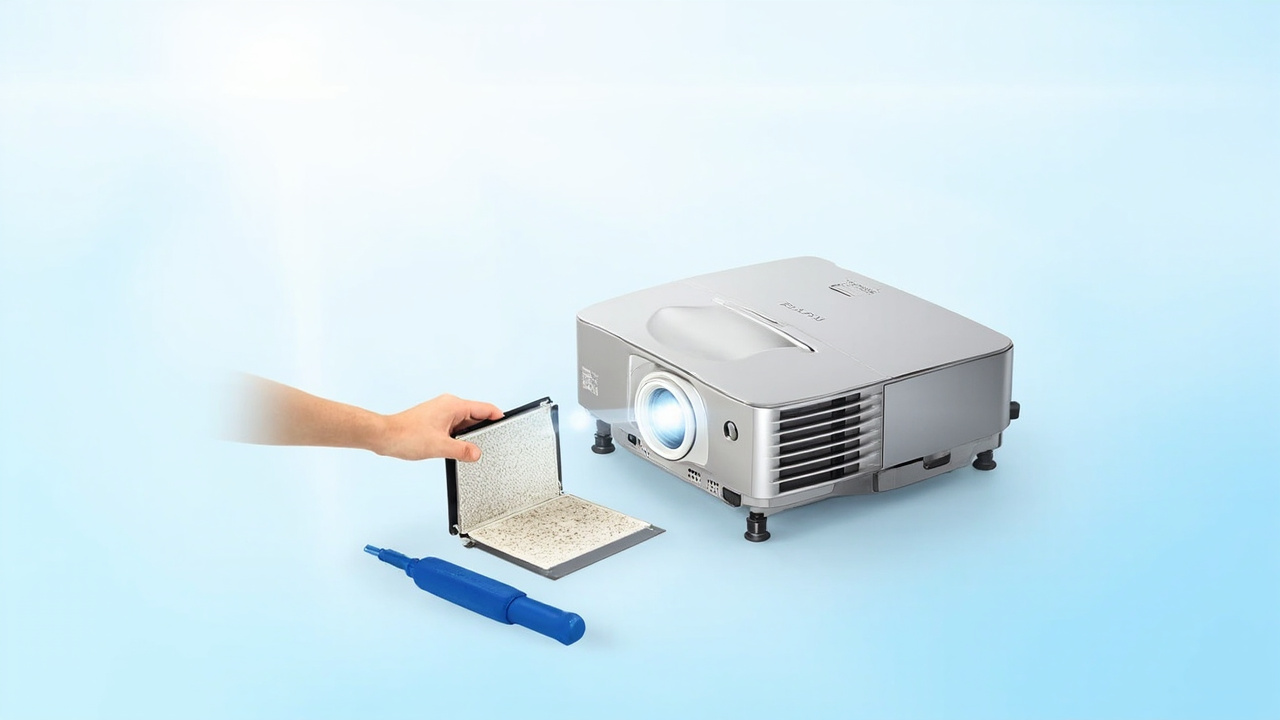
The EPSON ELPAF39 is the original filter for EPSON series projectors, compatible with multiple mainstream projector models. The filter is the core consumable in the projector's dust prevention system, and regular replacement prevents brightness degradation caused by dust entering the optical path. This article compiles the compatible models for the EPSON ELPAF39, the corresponding Zorsika model, and the 5 most frequently asked questions from purchasers.
This article is a complete selection guide for the EPSON ELPAF39 projector filter, covering 32 compatible models, the corresponding Zorsika model Z-AF39, key points to avoid pitfalls in selection and procurement, and FAQ. To check other brand models, visit the Zorsika lens compatibility query at www.zorsika.com.
EPSON ELPAF39 Projector FilterWhy projector filters need regular replacement
The projector filter is the first barrier in the optical path dust prevention system. If the filter is clogged or damaged, dust entering the optical engine can adhere to the LCD/DLP chip, causing black spots on the image, brightness reduction, or even optical engine failure. The EPSON ELPAF39 filter is compatible with multiple mainstream EPSON models and should be checked every 2,000–3,000 hours, with replacement every 6–12 months depending on the usage environment.
Zorsika corresponding model vs. original specifications
The Zorsika corresponding filter model is Z-AF39, customized to original specifications, with material, dimensions, and airflow capacity consistent with the original. The filter is a disposable consumable and must be replaced at the end of its lifespan. The Zorsika filter comes with a 180-day warranty.
List of compatible models for EPSON ELPAF39
The following are verified compatible models from the EPSON projector series for the EPSON ELPAF39:
CH-TW7200, CH-TW8200W/CH-TW8200, Cinema 5010e, Cinema 5010, EH-TW9000W, EH-TW9200, EH-TW9000, EH-TW8500, EH-TW8000W, EH-TW8000, CH-TW9200, EH-TW9500C, EH-TW8500C, Cinema 6010, CH-TE8200W, EH-TW7200, EH-TW9200W, CH-TW8400W, CH-TW8300, CH-TW9300, CH-TW8400, CH-TW8300W, CH-TW9400, CH-TW7400, CH-TW6600, CH-TW6700W, Home Cinema 3000, CH-TW6600W, CH-TZ1000, CH-TW6300, Home Cinema 3600e, CH-TW6200, Home Cinema 3500, TW7000
For the complete list of compatible models, please contact Zorsika sales.3 pitfalls to avoid when purchasing filters
1. Distinguish between disposable filters and washable filters — some low-end models use washable filters; buying the wrong type will not fit. 2. Pay attention to the frame material — high-end engineering projectors from Christie, Barco, etc. use stainless steel frames with paper cores; alternative products may only replace the paper core without changing the frame. 3. Verify dimensions — filter dimensions vary significantly across different series from the same brand; confirm length × width × height before ordering.
According to the Zorsika official maintenance manual, the EPSON projector filter (model ELPAF39) is a core consumable of the dust prevention system. When clogged, it can cause a 30–50% brightness drop. It is recommended to check every 2,000–3,000 hours. Original text available at the Zorsika Technical Support Center (support.zorsika.com).
Supplementary notes on EPSON ELPAF39
As a core replacement filter for EPSON projectors (original specification replacement solution), the ELPAF39 is compatible with multiple mainstream models. The filter is a regularly replaced maintenance consumable that should be checked periodically every 2,000–3,000 hours based on the usage environment. Zorsika's filter uses the same lamp module/filter material as the original, with consistent compatibility and lifespan performance. To view replacement filters for other brands, please visit www.zorsika.com.
Related reading: Projector filter library · All EPSON models · Filter compatibility query · Panasonic compatible models · Epson compatible models
FAQ — EPSON ELPAF39 Frequently Asked Questions
Q: How often should the EPSON ELPAF39 filter be replaced?
A: In a normal office environment (nightly cleaning, air-conditioned room), replace every 6–12 months; in medium-dust environments such as classrooms and conference rooms, replace every 4–6 months; in high-dust environments such as construction sites and workshops, replace every 2–3 months. Specifically, observe the filter color — when it turns dark gray or black, it must be replaced.
Q: What is the difference between Zorsika Z-AF39 and EPSON ELPAF39?
A: The Zorsika corresponding model is customized to original specifications, with material, dimensions, and airflow capacity consistent with the original. It is a direct replacement with no compatibility issues. The Zorsika filter comes with a 180-day warranty and faster after-sales response.
Q: Can the filter be cleaned and reused?
A: Some low-end models are equipped with washable filters (generally made of sponge material) that can be cleaned, dried, and reused. High-end EPSON engineering projectors use disposable paper core or stainless steel frame filters that cannot be cleaned and must be replaced when their lifespan expires.
Q: What should I do if the projector temperature rises abnormally after installing the EPSON ELPAF39?
A: Abnormal temperature is usually caused by a clogged or incorrectly installed filter. First, confirm that the filter is installed in the correct direction (arrow pointing toward the inside of the machine), then check that the filter is fully seated against the housing with no air leaks. If the problem persists, contact Zorsika technical support for troubleshooting.
Q: Are there discounts for bulk purchases of the EPSON ELPAF39 filter?
A: Zorsika adopts a per-order negotiation pricing model. For bulk purchases, please contact Zorsika sales.
Purchase Inquiry
For the latest quotation, bulk purchase plan, or to obtain the complete list of compatible models, please contact Zorsika sales:
- Website: www.zorsika.com
- Phone: 020-38551187
- Email: sales@zorsika.com
- Business hours: Monday to Saturday 9:00–18:00, replies within 24 hours
Data source statement
All machine models, lamp/filter models, and compatible model data in this article come from the Zorsika database.