
At a glance
- Specifications of This Air Filter
- Compatible Models: 0 Epson Projector Models
- Why Choose Zorsika
- Frequently Asked Questions
- Q: Why choose Zorsika over OEM?
- Q: How often should I replace the air filter?
- Q: Can the air filter be washed and reused?
- Q: My machine is not on the list of 0 models. Can I use ELPAF52?
- Q: Is there an installation guide for ELPAF52?
- Air Filter Daily Maintenance Tips
- Related Query Access
- Purchase Consultation
Epson ELPAF52 projector air filter, effectively filters dust and impurities, protects light path, compatible with 0 Epson projector models. Zorsika corresponding model Z-AF52.
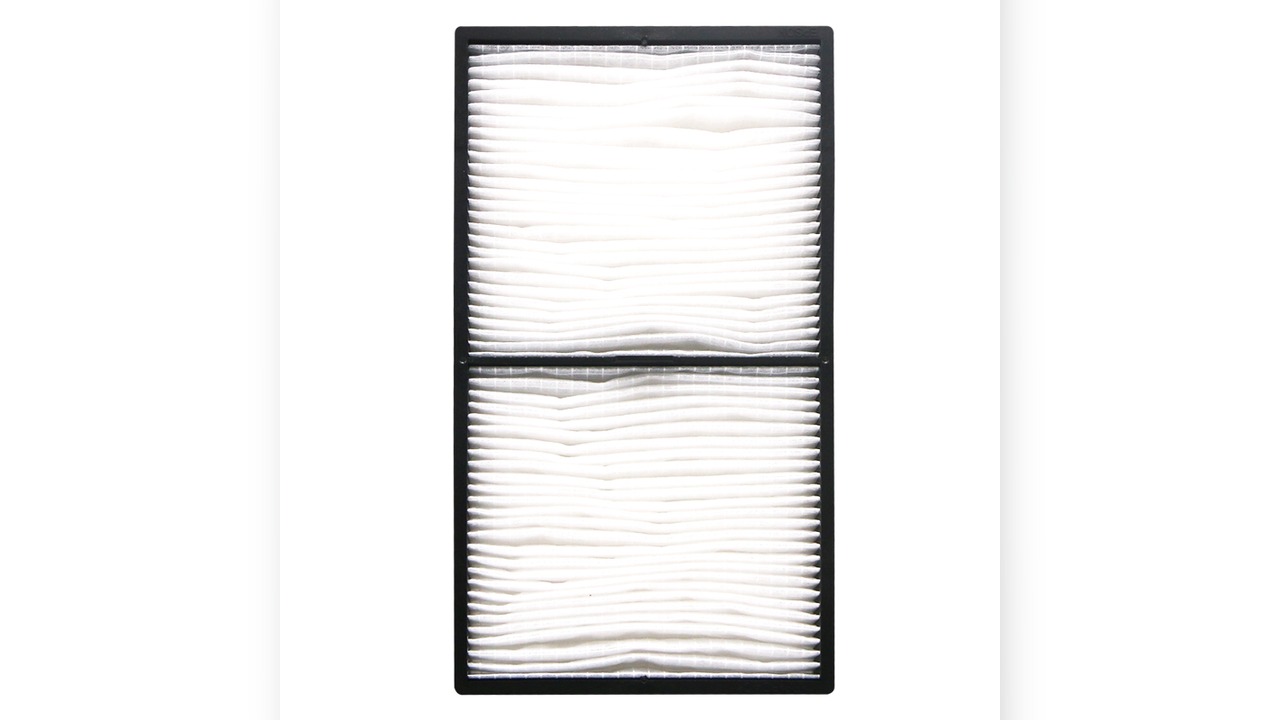
Specifications of This Air Filter
| OEM Air Filter Model | ELPAF52 |
| Zorsika Corresponding Model | Z-AF52 |
| Compatible Brand | Epson |
| Number of Compatible Models | 0 models |
The above parameters come from Zorsika's product database. Contact your sales representative for complete specifications.
Compatible Models: 0 Epson Projector Models
The following are verified compatible models of ELPAF52 in Epson projectors, separated by commas:
Note: Projectors from the same generation often share the same air filter model. For models not on the list, contact Zorsika technical support for confirmation.
Why Choose Zorsika
ELPAF52 is a high-consumption model. Zorsika manufactures according to OEM filter media specifications, with filter media and sealing edges controlled per OEM parameters, ensuring better filtration accuracy and fit.
Zorsika corresponding model Z-AF52, compatible with Epson and 0 other models; enter Z-AF52 in Zorsika's official website search system to view the complete compatible model list and corresponding lamp modules.
- Specification Match: Filter pore size, thickness, and air resistance match OEM parameters
- Factory Testing: Pressure differential and filtration efficiency tests conducted on every batch
- Mold Precision: Dimensions and clips match OEM molds for a tight, dust-free seal
- Stable Supply: Supports bulk procurement and project-based supply
In short: Air filters are consumables—don't cut corners here. Zorsika projector air filters use OEM-specification filter media for overall greater peace of mind.
Note: Filtration performance varies significantly with usage environment. In dusty environments, it is recommended to also shorten the lamp cleaning cycle.
Frequently Asked Questions
Q: Why choose Zorsika over OEM?
A: Zorsika air filters are manufactured according to OEM filter media specifications with consistent pore size and air resistance parameters, and pressure differential tests are performed on every batch before shipment. Compared to OEM, we offer stable supply and better overall value; compared to other alternatives, we guarantee filtration accuracy and fit.
Q: How often should I replace the air filter?
A: There is no fixed schedule—it depends on the usage environment. In dusty environments, check every 1-2 months; for typical office use, every 3-6 months. Replace when you see gray spots or notice increased fan noise.
Q: Can the air filter be washed and reused?
A: Most projector air filters are single-use consumables. Washing damages the filter media and can cause dust leakage—not recommended. Only models marked as washable can be reused after light vacuuming.
Q: My machine is not on the list of 0 models. Can I use ELPAF52?
A: The list contains verified models only, not an exhaustive inventory. Epson projectors from the same generation often share air filter models. Take a photo of the unit's nameplate or the original air filter label and send it to Zorsika technical support for confirmation.
Q: Is there an installation guide for ELPAF52?
A: Yes. The air intake positions and filter removal/installation methods are essentially the same for these Epson models. Contact Zorsika sales to get illustrated or video installation guides for your specific model.
Air Filter Daily Maintenance Tips
- Set schedule based on environment: Check every 1-2 months in dusty classrooms or factory environments, every 3-6 months in typical office settings; replace earlier if you notice gray spots on the image or increased fan noise.
- No water washing: Most projector air filters are single-use. Washing destroys the filter media structure and can push dust into the optical path; only models marked washable can be lightly vacuumed.
- Monitor alongside the lamp: A clogged air filter raises the lamp's operating temperature, shortening its lifespan. Checking the air filter when replacing the lamp is a smart practice.
- Match the correct model: Even a slight size mismatch prevents a tight seal—dust leaks in. Cross-reference the model number with your unit's nameplate or the original filter label before ordering.
Related Query Access
- Zorsika Technical Support Center
- Projector Brand and Compatible Model Search
- Projector Lamp / Lens / Air Filter Product Library
Purchase Consultation
For Epson ELPAF52 solution consultation, bulk orders, or complete model compatibility list, please contact us through:
- Website: www.zorsika.com
- Phone: 0086-20-38551187
- Email: sales@zorsika.com
- Business Hours: Monday to Friday, 9:00-18:00
The air filter models and compatible projector models in this article are sourced from the Zorsika product database. Data is continuously updated, and the actual quotation confirmation shall prevail.