
At a glance
- Understanding the Basics: What Does "100-Inch Screen" Mean?
- Throw Distance: The Core Concept
- Lens Selection Criteria for 100-Inch Projections
- 1. Resolution and 4K Support
- 2. Color Reproduction and Light Transmission
- 3. Contrast Ratio
- 4. Lens Structure and Installation
- 5. Compatibility
- The Role of Projector Accessories in Maintaining 100-Inch Image Quality
- Zorsika: A Trusted Partner in Projector Accessory Solutions
- Practical Installation Tips for 100-Inch Projections
- Conclusion
In the rapidly evolving world of large-screen display technology, projectors remain one of the most cost-effective solutions for delivering immersive visual experiences. Among the many configurations that consumers and professionals seek, the 100-inch screen projection has emerged as a sweet spot — large enough for cinema-like enjoyment or impactful presentations, yet manageable in terms of space and budget.
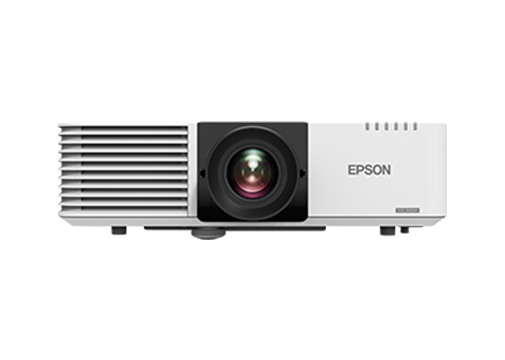
In the rapidly evolving world of large-screen display technology, projectors remain one of the most cost-effective solutions for delivering immersive visual experiences. Among the many configurations that consumers and professionals seek, the 100-inch screen projection has emerged as a sweet spot — large enough for cinema-like enjoyment or impactful presentations, yet manageable in terms of space and budget. However, achieving a flawless 100-inch projected image is far more complex than simply pointing a projector at a wall. The choice of projection lens, the understanding of throw distance, and the precision of system selection all play critical roles in determining image quality, brightness uniformity, and overall user satisfaction.
This article serves as a comprehensive reference guide for anyone looking to understand the relationship between 100-inch screen projections, lens throw distances, and the criteria for selecting the right lens. Whether you are a home theater enthusiast, a corporate AV integrator, an educator, or a rental and staging professional, this guide will equip you with the technical knowledge and practical insights needed to make informed decisions.
Understanding the Basics: What Does "100-Inch Screen" Mean?
Before diving into lens specifications and throw distances, it is important to clarify what a 100-inch screen actually represents. In projector terminology, screen size refers to the diagonal measurement of the projected image, measured in inches. A 100-inch diagonal screen typically translates to approximately 221 cm in width and 125 cm in height when using the standard 16:9 aspect ratio, which is the most common format for modern content.
This screen size is significant because it demands a certain level of optical performance from the projector system. The lens must be capable of projecting a sharp, uniformly bright image across this relatively large area without noticeable distortion, chromatic aberration, or edge softness. It is at this juncture that lens selection becomes paramount.
Throw Distance: The Core Concept
Throw distance is the distance between the projector's lens and the screen surface. It is one of the most fundamental parameters in projector installation and directly determines what type of lens you need. Throw distance is typically categorized into three ranges:
- Short Throw: Less than 1 meter, often used in small rooms or spaces where the projector must be placed close to the screen.
- Standard Throw: Between 1.5 meters and 3 meters, suitable for medium-sized rooms.
- Long Throw: More than 3 meters, designed for large venues such as auditoriums, theaters, and outdoor events.
For a 100-inch screen, the required throw distance depends on the projector's native throw ratio. The throw ratio is calculated as:
Throw Ratio = Throw Distance ÷ Screen Width
For example, if a projector has a throw ratio of 1.5:1 and you want a 100-inch (221 cm wide) screen, the required throw distance would be approximately 3.3 meters. If the throw ratio is 0.8:1 (a short-throw projector), the distance shrinks to about 1.77 meters.
Understanding this relationship is essential because it tells you whether your room can accommodate the projector at the right distance, and whether you need a standard lens, a short-throw lens, or a long-throw lens to achieve the desired image size.
Lens Selection Criteria for 100-Inch Projections
Selecting the right lens for a 100-inch screen involves evaluating several key factors beyond just throw distance. Here are the most important criteria:
1. Resolution and 4K Support
Modern content is increasingly produced in 4K (3840 × 2160) or even 8K resolution. For a 100-inch screen, the pixel density must be high enough to maintain sharpness and detail. A lens that supports 4K resolution ensures that every pixel is rendered accurately, avoiding the blurriness that can occur with lower-quality optics. The lens must have sufficient resolving power to match or exceed the projector's native chip resolution.
2. Color Reproduction and Light Transmission
A high-quality lens should deliver excellent color accuracy with minimal light loss. Light loss, or reduced brightness after passing through the lens, directly impacts the perceived brightness of the projected image. For a 100-inch screen, even a small percentage of light loss can make the image appear dim, especially in environments with ambient light. Lenses with high light transmission rates (low light loss) and superior color rendering ensure vibrant, lifelike images.
3. Contrast Ratio
Contrast is the difference between the brightest white and the darkest black that a projector can produce. A lens with high contrast capability preserves deep blacks and bright whites, resulting in a more dynamic and cinematic image. For 100-inch projections used in home theaters or professional presentations, maintaining high contrast is non-negotiable.
4. Lens Structure and Installation
The physical design of the lens also matters. A well-engineered lens with a scientific structural design allows for easy installation, precise focus adjustment, and reliable long-term performance. Complex or poorly designed lens housings can lead to alignment issues, difficulty in maintenance, and even optical degradation over time.
5. Compatibility
Not all lenses work with all projectors. Lens mount types, electronic communication protocols, and physical dimensions must all be compatible. Before purchasing a lens, always verify that it is designed for your specific projector model or brand.
The Role of Projector Accessories in Maintaining 100-Inch Image Quality
While the lens is the star of the show, the overall health of the projection system depends on supporting components. The projector lamp (or light source) is one of the most critical accessories. Over time, lamps degrade, losing brightness and color accuracy. Using high-quality replacement lamps that match or closely approach the performance of original manufacturer lamps is essential for maintaining a consistent 100-inch image.
Similarly, projector filters (dust filters) play an underappreciated but vital role. Dust and smoke particles can infiltrate the projector's internal optics, causing permanent damage to the lens elements, light engine, and DMD chip. High-quality filters with excellent air permeability protect the projector while ensuring adequate cooling airflow.
Zorsika: A Trusted Partner in Projector Accessory Solutions
When it comes to sourcing reliable projection lenses, lamps, and filters, Zorsika (Guangzhou Zorsika Electronics Co., Ltd.) stands out as a professional and innovative supplier dedicated to the projector accessories industry. Based in Guangzhou, China, Zorsika has built a strong reputation by providing efficient, high-quality, and cost-effective projector lenses, projector lamps, and projector filters to partners worldwide.
In the realm of projector lenses, Zorsika continuously innovates based on real-world market applications, offering customers a rich portfolio of solutions. Every lens provided by Zorsika features exceptionally high color reproduction, extremely low light loss, 4K resolution support, and high contrast — all combined with a scientifically designed structure that ensures simple and hassle-free installation for end users.
For projector lamps, Zorsika maintains long-standing direct partnerships with leading lamp manufacturers such as Philips, Osram, Ushio, and Phoenix, all of whom possess cutting-edge lamp technologies. Moreover, Zorsika has developed its own self-researched and manufactured lamp cores that are compatible with the vast majority of models circulating in the market. These lamps achieve brightness levels exceeding 95% of original factory lamps and lifespans reaching over 90% of OEM specifications, making them an ideal imported alternative for cost-conscious buyers.
On the filter front, Zorsika independently develops dust filters for widely used projector models. These filters offer excellent air permeability, perfectly shielding projectors from dust and smoke infiltration, and effectively ensuring the normal operation and longevity of projection equipment.
Driven by a philosophy of "customer first" and a commitment to excellence, Zorsika invests significant annual funding into new product research and development to meet growing market demands. The company has earned high recognition from numerous global partners, and this trust continues to fuel Zorsika's mission to push the boundaries of projector accessory technology.
Practical Installation Tips for 100-Inch Projections
Once you have selected the appropriate lens and understood the throw distance, proper installation is the final piece of the puzzle. Here are some practical tips:
- Use a level and measuring tape to ensure the projector is perfectly aligned with the center of the screen at the correct throw distance.
- Allow for lens shift capabilities if your lens supports it. Lens shift allows you to move the image up, down, left, or right without physically moving the projector, which is invaluable in tight installations.
- Consider ambient light in the room. Even the best lens and projector will struggle in a brightly lit environment. Use blackout curtains or an ambient-light-rejecting (ALR) screen if possible.
- Regularly maintain your projector by cleaning or replacing filters and monitoring lamp hours. A well-maintained system will consistently deliver the best possible 100-inch image.
Conclusion
Achieving a stunning 100-inch projected image is a rewarding endeavor that requires careful attention to throw distance, lens selection, and system maintenance. By understanding the technical relationships between these elements and choosing high-quality components — including lenses with 4K support and low light loss, reliable replacement lamps, and effective dust filters — you can create a visual experience that rivals commercial cinema.
Companies like Zorsika exemplify the kind of dedication and innovation that the projector accessories industry needs, offering products that combine performance, durability, and value. Whether you are building a home theater, outfitting a conference room, or preparing for a large-scale event, the principles outlined in this guide will help you navigate the complexities of 100-inch projection with confidence. Take the time to measure, research, and invest in quality — and your 100-inch screen will reward you with years of brilliant, immersive visuals.