
At a glance
- Applicable Scenarios for Wireless Screen Casting in University Lecture Halls
- In-Depth Industry Case Study: A Local University Lecture Hall Client
- Business Challenges
- Bijie Solution
- Application Method
- Results
- Why Choose Zorsika
- About Zorsika
- Four Major Product Lines
- FAQ
- Q: Will too many student devices cause lag?
- Q: Can it be installed if the classroom has no network cable?
- Q: How long is the warranty on wireless presentation dongles?
- Related Support Links
- Solution Consultation
Wireless presentation for university lecture halls: the most disruptive moment in class is when teachers share slides or students present group work, with a mess of adapters on the podium. Bijie's BJ60S wireless presentation solution enables one-click screen sharing, eliminating cables.
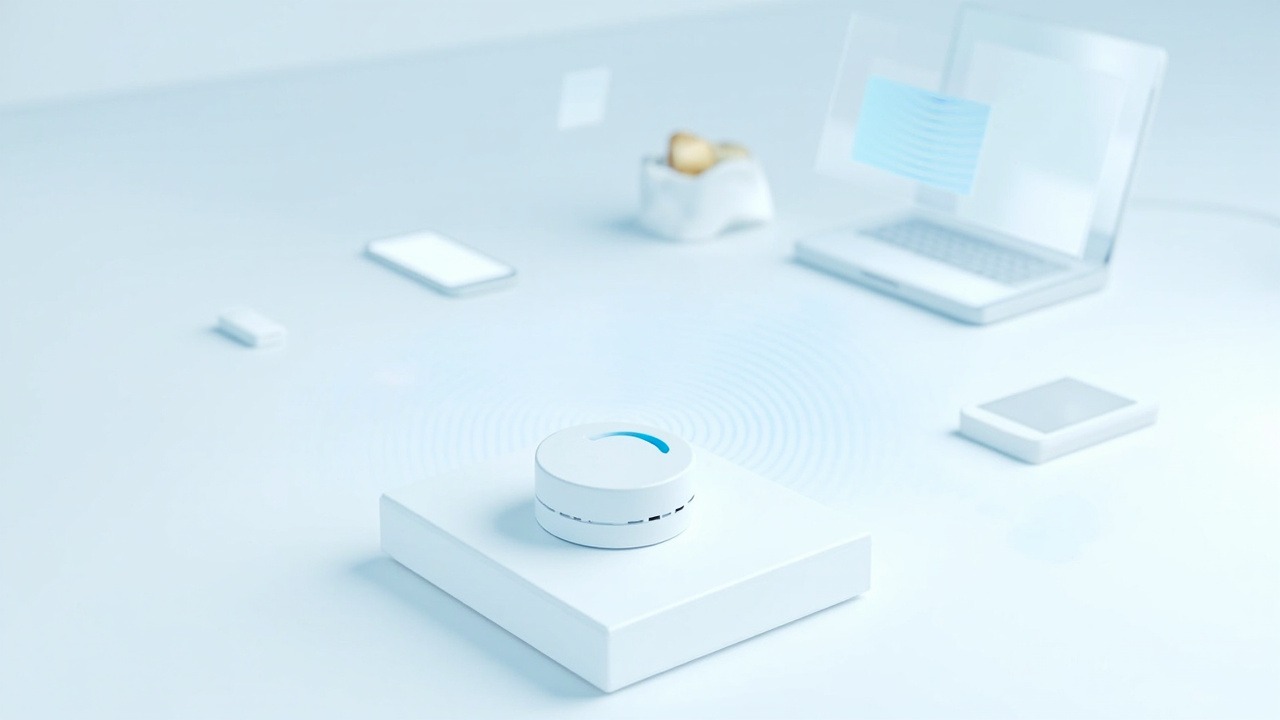
The most disruptive thing in class: the teacher needs to project courseware, students need to present group work, and the podium is cluttered with adapters—everyone has to plug and unplug each time they present. Too many devices and frequent switching are the most typical pain points in classroom screen casting.
Wireless Screen Casting for University Lecture Halls: Bijie SolutionBijie BJ60S smart classroom wireless screen casting solution supports 2 screens simultaneously, allowing the teacher's courseware and students' work to be displayed side-by-side for comparison; phones, tablets, and laptops can connect via native protocols or QR code scanning, and USB transmitters enable one-touch screen casting, so class rhythm is no longer interrupted by cable plugging.
- Dual-screen simultaneous display: Courseware + student work shown side-by-side for easier group discussion
- Multi-device instant casting: Phones/tablets/laptops connect directly via native protocols, no software installation needed
- USB transmitter: Even older devices can cast with a one-touch button
- AP hotspot: When classroom network is unstable, the casting device can create its own hotspot as a fallback
Applicable Scenarios for Wireless Screen Casting in University Lecture Halls
- Typical university lecture hall applications: Teachers push main screen content to group screens, and group discussion results can be sent back to the main screen at any time, improving classroom interaction efficiency.
In-Depth Industry Case Study: A Local University Lecture Hall Client
Client and Industry: University lecture halls. A local university lecture hall client has a strong demand for interactive and immersive teaching, hoping that teachers and students can easily cast from their phones and tablets to the big screen.
Business Challenges
In traditional classrooms, courseware can only be played from the podium computer, resulting in weak teacher-student interaction; group discussion results are difficult to display on screen quickly, and there is a lack of convenient channels for remote teaching and presentation of outcomes.
Bijie Solution
The Bijie BJ60S smart classroom wireless screen casting solution connects mobile devices to large screens end-to-end, creating an all-scenario learning environment.
Application Method
Teachers' and students' phones, tablets, and laptops can all cast wirelessly; main screen content can be pushed to group screens, and group work can be sent back to the main screen at any time.
Results
The local university lecture hall client achieved full wireless screen casting coverage in classrooms, enabling interactive and immersive learning models and significantly improving class participation and teaching efficiency.
Note: The above represents Bijie's typical application approach in this industry; specifics depend on the actual project plan. Zorsika, as Bijie's authorized operations center in South China, provides localized delivery and after-sales service for the same solution.
Why Choose Zorsika
Zorsika is Bijie's authorized operations center in South China, offering not just equipment but a full-chain wireless collaboration service from selection and deployment to after-sales support:
- Bijie's authorized operations center in South China: Factory-authorized, genuine products and technology, with guaranteed supply and enablement
- Localized technical support: Rooted in the South China market, providing on-site surveys, installation, commissioning, and training
- Solution demos and testing: Product demonstrations and on-site testing supported—try before you decide
- Installation and application expertise: Extensive deployments in smart meeting rooms and smart classrooms—we understand both scenarios and deployment
- SDK and integration capabilities: SDK solutions provided, supporting secondary development and system integration
- Full-chain service: One-stop from selection—deployment—training—after-sales, making project delivery worry-free
About Zorsika
Guangzhou Zorsika Electronics Co., Ltd. was founded in 2015 and is a professional team of nearly 40 people, long focused on the R&D; and service of projector accessories and wireless collaboration solutions. As Lenovo Printers' authorized maintenance service center in Guangzhou, it has earned the trust and praise of a wide range of customers through professional technology and high-quality service.
Four Major Product Lines
- Projector lenses: Self-developed 4K HD wide-angle, standard, and fisheye lenses with throw ratios covering 0.35–10.0, serving projector factories, brand owners, distributors, and system integrators among various clients.
- Projector air filters: In-house mold production with over 150 SKUs, fully covering mainstream projector brands and models on the market.
- Projector lamps: Holding multiple original brand authorizations and our own brand, providing one-stop lamp solutions.
- Wireless presentation dongles: As Bijie's authorized operations center in South China, providing integrated hardware and software wireless collaboration solutions, having served over 400 well-known domestic and international clients including DHL, BYD, Vanke, OSRAM, COMAC, JD.com, Meituan, Tuya Smart, Wuhan University, Yunnan University, and Nanjing Aerospace.
Zorsika adheres to professional technology as its foundation and customer needs as its guide, providing customers with reliable, worry-free products and localized services.
FAQ
Q: Will too many student devices cause lag?
A: Screen casting connections are established on demand, with the presenting device occupying the dedicated video channel; the Zorsika solution supports polling and switching between multiple devices.
Q: Can it be installed if the classroom has no network cable?
A: Yes. The casting device supports wireless networking and can also use the AP hotspot function as a fallback, depending on the classroom network environment.
Q: How long is the warranty on wireless presentation dongles?
A: Zorsika wireless presentation dongles come with a 12-month warranty covering normal use and non-man-made damage; contact after-sales service for support. Warranty terms can be provided with bulk project orders.
Related Support Links
Solution Consultation
For consultation on university lecture hall wireless screen casting solutions or on-site demonstrations, please contact us through the following channels:
- Website: www.zorsika.com
- Phone: 0086-20-38551187
- Email: sales@zorsika.com
- Business Hours: Monday to Friday, 9:00-18:00
The solution described in this article is compiled based on Bijie's public industry cases and mainstream wireless screen casting technologies; specific model parameters are subject to the actual product.