
At a glance
- Why the Zorsika WE532 Remains a Lens of Interest for Buyers
- Zorsika WE532 Projector Lens Specifications
- Compatible Projector Models for Zorsika WE532 Lens (0 Models Total)
- Key Considerations for Selection and Installation
- Additional Notes on the Zorsika WE532
- FAQ — Zorsika WE532 Frequently Asked Questions
- Q: What does the throw ratio of the Zorsika WE532 lens mean?
- Q: Which projector models are compatible with the Zorsika WE532 lens?
- Q: What does the MTF (Modulation Transfer Function) of a lens represent?
- Q: What size of conference room is suitable for the Zorsika WE532 medium-throw lens?
- Q: What is the installation method for the Zorsika WE532 lens?
- Purchase Inquiry
- Data Source Statement
Zorsika WE532 is a medium-throw projector lens (throw ratio ), compatible with 0 models of Infocus projectors. It includes core specifications such as MTF, F-number, lens construction, and recommended screen sizes. A guide for buyers to avoid pitfalls in selection and installation.
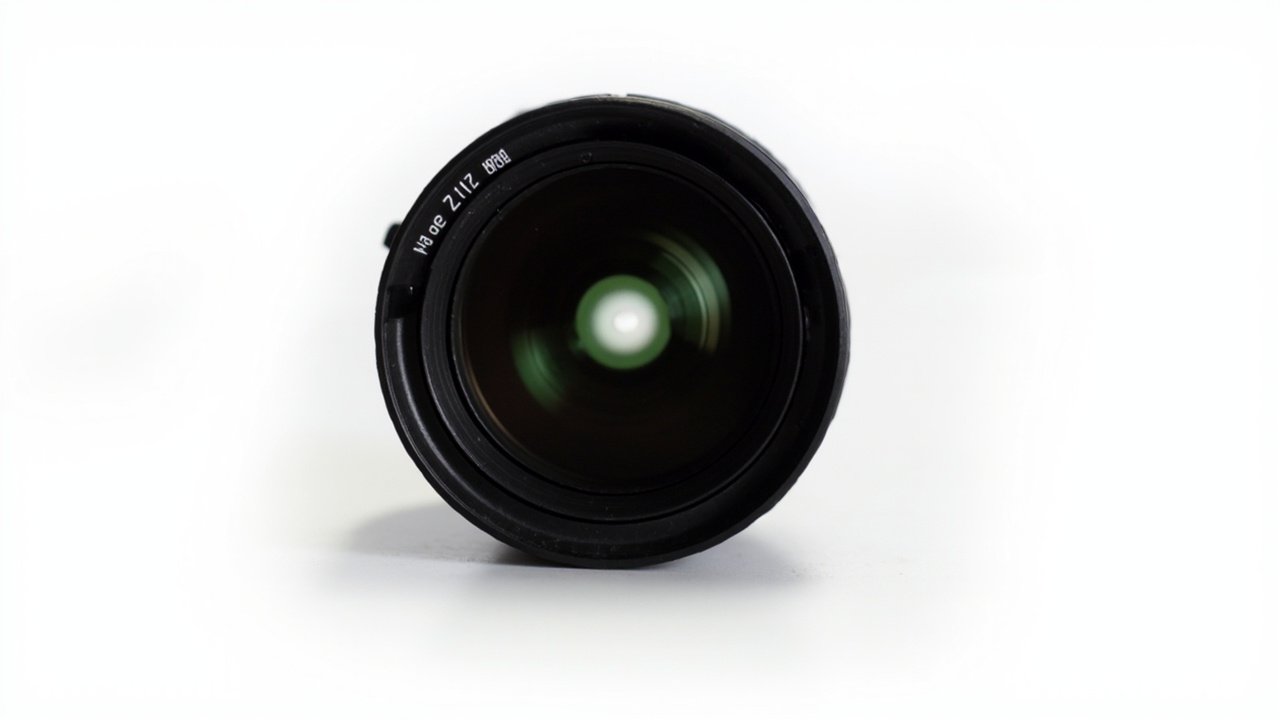
This article is a comprehensive selection guide for the Zorsika WE532 medium-throw projector lens, covering 0 compatible Infocus models, complete specifications (throw ratio, MTF -), a comparison table of overall specifications for each projector model when equipped with this lens, key considerations for selection and installation, and frequently asked questions. For other lens models, please visit the Zorsika official website at www.zorsika.com.
Zorsika WE532 Medium-Throw Projector LensWhy the Zorsika WE532 Remains a Lens of Interest for Buyers
The Zorsika WE532 is a medium-throw projector lens (throw ratio ) that covers 0 mainstream Infocus projector models. Buyers often face challenges during selection: high prices and unstable supply cycles for OEM lenses, and inconsistent quality with aftermarket lenses where MTF/resolution fails to meet standards. To address these pain points, Zorsika offers a replacement lens solution with equivalent specifications to OEM models, all of which undergo optical testing and are eligible for free replacement within the warranty period for non-human-induced damage.
Zorsika WE532 Projector Lens Specifications
The following are the specifications of the Zorsika WE532 lens itself (official data from zorsika.com):
No lens parameters available yet. Please contact Zorsika sales to request the complete specification sheet.
Compatible Projector Models for Zorsika WE532 Lens (0 Models Total)
The Zorsika WE532 lens is compatible with the following Infocus projector models: The table below shows the overall specifications of each Infocus projector when equipped with the Zorsika WE532 lens. These parameters reflect the actual performance after combining the lens with the projector body:
No data available.
Key Considerations for Selection and Installation
1. Verify the throw ratio and installation distance: Calculate the required throw ratio based on the room depth and target screen size. The optimal installation distance for a medium-throw lens is a standard medium projection distance.
2. Check the lens shift range: Before installation, confirm the horizontal/vertical lens shift allowance of the projector to avoid image overflow or inability to center the image.
3. Confirm body mount compatibility: The Zorsika WE532 lens uses the standard mount for Infocus projectors. Before purchasing, please confirm with our sales team that your projector model is on the compatibility list.
According to the Zorsika official maintenance manual, the Zorsika WE532 lens requires no special maintenance under normal use conditions; avoiding severe vibrations and high temperatures ensures long-term stable operation. For detailed optical parameters and compatible models, please visit the lens-None page on the Chinese website at zorsika.com.
Additional Notes on the Zorsika WE532
As a medium-throw lens for Zorsika projectors (Zorsika projector MT lens), the Zorsika WE532 is compatible with 0 mainstream Infocus projector models. The lens is a precision optical component that plays a critical role in optical path transmission and image formation within the projector system. All lenses provided by Zorsika undergo MTF testing (modulation transfer function test) and focus accuracy calibration, ensuring full 4K resolution presentation. To view lenses of other brands or focal lengths, please visit www.zorsika.com.
Related reading: Projector Lens Library · All Infocus Models · Lens Compatibility Query
FAQ — Zorsika WE532 Frequently Asked Questions
Q: What does the throw ratio of the Zorsika WE532 lens mean?
A: The throw ratio = projection distance / screen width. The smaller the ratio, the larger the image at the same distance. The Zorsika WE532 has a throw ratio of , making it a medium-throw lens. It is recommended to calculate the achievable screen size based on the installation distance, or consult Zorsika sales for selection calculation assistance.
Q: Which projector models are compatible with the Zorsika WE532 lens?
A: The Zorsika WE532 lens is compatible with 0 Infocus projector models. See the "Compatible Projector Models" table in this article for details. To confirm whether a specific model is compatible, please contact Zorsika sales and provide a photo of the projector's nameplate. We will check the compatibility between the lens and the projector body.
Q: What does the MTF (Modulation Transfer Function) of a lens represent?
A: MTF (Modulation Transfer Function) reflects the lens's ability to reproduce detail; a higher value means a sharper image. Professional projector lenses generally require MTF > 50% @93 lp/mm. The MTF indicator for the Zorsika WE532 lens is -. In 4K projection applications, MTF is a core indicator for determining whether the lens truly supports 4K resolution.
Q: What size of conference room is suitable for the Zorsika WE532 medium-throw lens?
A: The Zorsika WE532 has a throw ratio of , making it suitable for small to medium conference rooms with a depth of 3–6 meters. It is recommended to install the projector at a distance of 3–4 meters to project a 100–150-inch image. If the room depth exceeds 6 meters, a long-throw lens is recommended instead.
Q: What is the installation method for the Zorsika WE532 lens?
A: The Zorsika WE532 lens uses the standard lens mount for Infocus projectors. Simply insert it into the lens compartment and rotate it clockwise to lock it in place, taking about 30 seconds in total. For on-site installation support, you can contact Zorsika sales engineers for door-to-door service.
Purchase Inquiry
For more information on the configuration, pricing, or alternative solutions for the Zorsika WE532 lens, please contact the Zorsika sales team. We provide 1-on-1 selection consultation, technical parameter comparison, and on-site installation support.
- Website: www.zorsika.com
- Phone: 020-38551187
- Email: sales@zorsika.com
- Business Hours: Monday to Saturday, 9:00 AM – 6:00 PM
Data Source Statement
All lens models, specifications, and compatible projector data in this article are sourced from the zorsika.com official product page and Zorsika's database.