
At a glance
- Specifications of This Air Filter
- Epson ELPAF30 Model Compatibility List (0 models in total)
- Same Specifications — Why Choose Zorsika
- How Often to Replace? How to Maintain?
- Frequently Asked Questions
- Q: How often should the air filter be replaced?
- Q: Can the air filter be washed and reused?
- Q: My projector is not in the 0-model list above — can I use ELPAF30?
- Q: Why choose Zorsika instead of OEM?
- Q: Is there an installation guide for ELPAF30?
- Related Links
- Purchase Inquiry
Epson ELPAF30 projector air filter effectively blocks dust and particles and protects the optical path. Compatible with 0 Epson projector models. Zorsika equivalent model: Z-AF30.
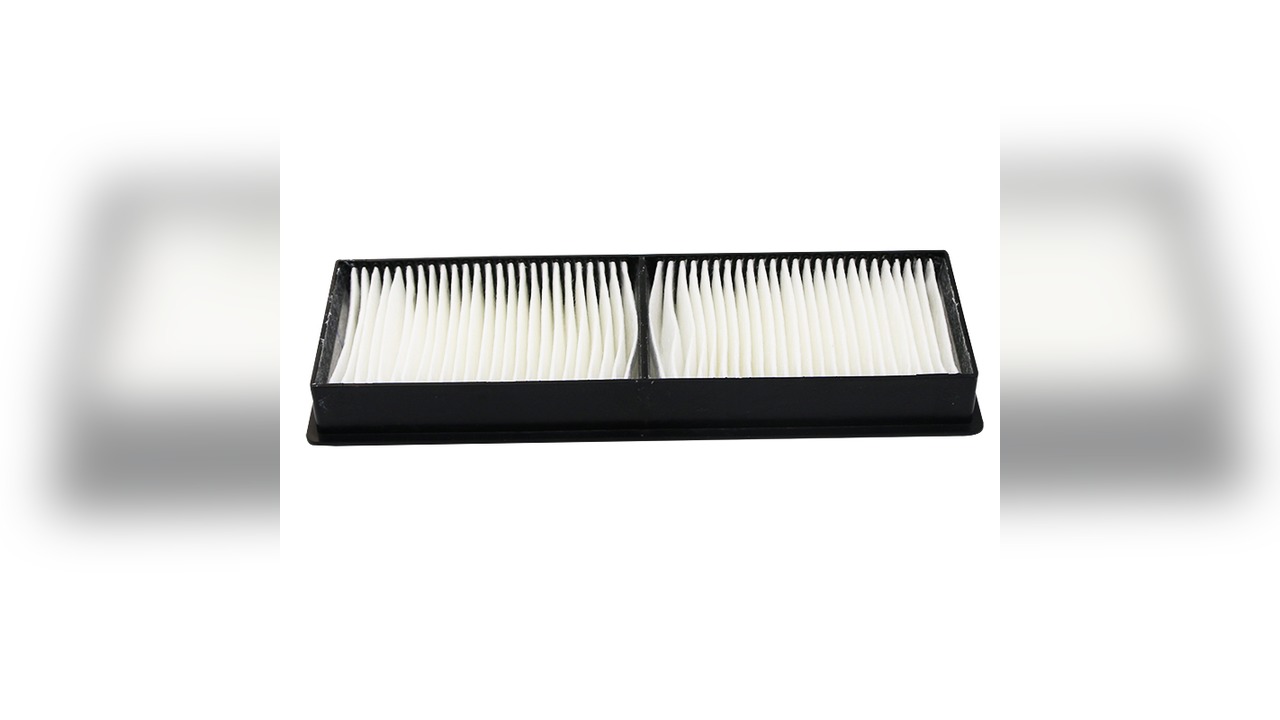
The projector air filter may seem insignificant, but it is the most easily overlooked consumable. ELPAF30 covers 0 Epson models. Read on to find out when and how to replace it.
Specifications of This Air Filter
| OEM Air Filter Model | ELPAF30 |
| Zorsika Equivalent Model | Z-AF30 |
| Compatible Brand | Epson |
| Number of Compatible Models | 0 |
The above parameters are from the Zorsika product database. For complete specifications, please contact our sales team.
Epson ELPAF30 Model Compatibility List (0 models in total)
The following are verified compatible Epson projector models for ELPAF30, separated by commas:
Note: Projectors of the same generation often share the same air filter. For models not listed, please contact Zorsika technical support for confirmation.
Same Specifications — Why Choose Zorsika
For commonly used air filters like ELPAF30, Zorsika manufactures to OEM filter media specifications. Pore size, thickness, and airflow resistance are benchmarked against the OEM item by item, and differential pressure testing is performed batch by batch before shipment. Install and it works.
Zorsika equivalent model Z-AF30 is compatible with 0 Epson models. Enter Z-AF30 in the Zorsika official website query system to find the complete model compatibility list and corresponding lamp modules.
- Specification Matching: Filter media pore size, thickness, and airflow resistance matched to OEM parameters
- Factory Testing: Differential pressure and filtration efficiency tested batch by batch
- Mold Precision: Dimensions and clips molded to OEM specifications for a tight seal with no dust leakage
- Stable Supply: Supports bulk purchasing and project supply
In short: air filters are consumables — don't cut corners on them. Zorsika projector air filters use the same specification filter media as OEM, for a more worry-free experience overall.
Note: Filtration effectiveness is greatly affected by the operating environment. In dusty locations, it is recommended to also shorten the lamp cleaning interval.
How Often to Replace? How to Maintain?
- Set the interval based on environment: In dusty classrooms or factory environments, check every 1-2 months; in typical office environments, every 3-6 months. If gray spots appear on the image or fan noise increases, replace ahead of schedule.
- Do not wash with water: Most projector air filters are disposable consumables. Washing with water damages the filter media structure and can actually push dust into the optical path. Only models labeled as washable can be lightly vacuumed.
- Pay attention alongside the lamp: A clogged air filter raises the lamp's operating temperature and shortens lamp life. It is wise to check the air filter condition when replacing the lamp.
- Match the model precisely: Even a slight size difference means the filter won't seal properly — a loose fit is as good as no filter at all. Before ordering, verify the model using the projector nameplate or the original filter label.
Frequently Asked Questions
Q: How often should the air filter be replaced?
A: There is no fixed number of days — it mainly depends on the operating environment. In dusty locations, check every 1-2 months; in typical offices, every 3-6 months. Replace when gray spots appear or noise increases.
Q: Can the air filter be washed and reused?
A: Most projector air filters are disposable consumables. Washing with water damages the filter media and causes dust leakage, so it is not recommended. Only models labeled as washable on the packaging can be lightly vacuumed and reused.
Q: My projector is not in the 0-model list above — can I use ELPAF30?
A: The list covers verified models only, not all of them. Epson products of the same generation often share the same air filter. It is safer to send a photo of the projector nameplate or original filter to Zorsika technical support for confirmation.
Q: Why choose Zorsika instead of OEM?
A: Zorsika air filters are manufactured to OEM filter media specifications, with matching pore size and airflow resistance parameters, and differential pressure testing performed batch by batch before shipment. Compared to OEM, supply is more stable and the overall value is better. Compared to other alternatives, filtration precision and fit are guaranteed.
Q: Is there an installation guide for ELPAF30?
A: Yes. The air intake location and filter removal/installation method are basically the same across these Epson models. Contact Zorsika sales for illustrated or video instructions for your specific model.
Related Links
- Zorsika Technical Support Center
- Projector Brand & Compatible Model Lookup
- Projector Lamp / Lens / Air Filter Product Database
Purchase Inquiry
For Epson ELPAF30 solution consultation, bulk orders, or the complete model compatibility list, please contact us via:
- Website: www.zorsika.com
- Phone: 0086-20-38551187
- Email: sales@zorsika.com
- Business Hours: Monday to Friday, 9:00-18:00
The air filter models and compatible model data in this article are from the Zorsika product database. Data is continuously updated; please confirm with an actual inquiry.