
At a glance
- Mistake #1: Using the Wrong Cleaning Materials
- Mistake #2: Cleaning the Lens While It Is Hot
- Mistake #3: Applying Excessive Pressure
- Mistake #4: Using Household Cleaners or Alcohol-Based Solutions
- Mistake #5: Ignoring the Importance of Dust Filters
- Mistake #6: Cleaning Too Frequently—or Not Frequently Enough
- Mistake #7: Not Considering Lens Quality When Replacing or Upgrading
- Mistake #8: Using Compressed Air Incorrectly
- The Bigger Picture: Protecting Your Entire Projection System
- Conclusion
Projectors have become indispensable tools in modern business, education, entertainment, and home theater environments. Whether mounted in a corporate boardroom, a university lecture hall, or a living room cinema setup, projectors deliver stunning visual experiences that rely on precise optical components.
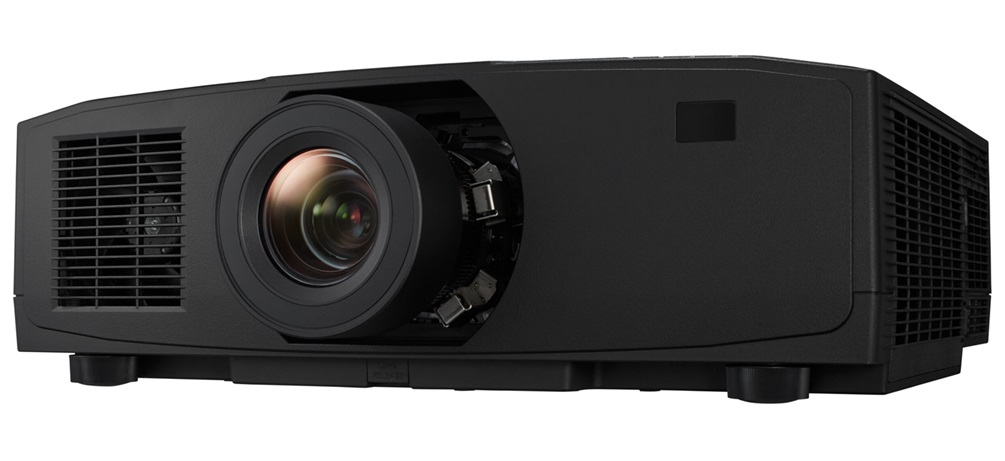
Projectors have become indispensable tools in modern business, education, entertainment, and home theater environments. Whether mounted in a corporate boardroom, a university lecture hall, or a living room cinema setup, projectors deliver stunning visual experiences that rely on precise optical components. Among these components, the projector lens is arguably the most critical—it is the gateway through which light travels to create the images audiences see. Yet, despite its importance, the projector lens is one of the most frequently mishandled and improperly maintained parts of the entire system.
Cleaning a projector lens may seem like a simple, routine task. In reality, however, it is a delicate procedure that demands careful attention, the right materials, and a thorough understanding of optical technology. Unfortunately, many users—from first-time home theater enthusiasts to seasoned AV professionals—fall into common traps that can degrade image quality, scratch delicate lens coatings, or even cause irreversible damage. This article systematically identifies and analyzes the most common mistakes people make when cleaning projector lenses, explains why these errors occur, and offers practical, expert-backed guidance on how to clean projector lenses correctly. Along the way, we will also highlight how leading projection accessory suppliers such as Zorsika (Guangzhou Zorsika Electronics Co., Ltd.) are helping users protect and optimize their projector investments through innovative, high-quality products.
Mistake #1: Using the Wrong Cleaning Materials
Perhaps the single most widespread error in projector lens cleaning is using inappropriate materials. Many people reach for whatever cloth or paper product is nearby—a paper towel, a cotton T-shirt, a tissue, or even a kitchen napkin. These materials are far too abrasive for precision optical surfaces. Paper towels and tissues contain wood fibers that can create micro-scratches on lens coatings. Cotton fabrics, while softer, can still trap dust particles that act like sandpaper against the glass.
The Correct Approach: Always use a lens-specific microfiber cloth or an optical-grade lens tissue designed for coated glass surfaces. These materials are engineered to lift dust and smudges without leaving lint or causing abrasion. If the lens is heavily soiled, a specialized lens cleaning solution applied sparingly to the cloth—never directly onto the lens—is the safest method.
Mistake #2: Cleaning the Lens While It Is Hot
Another frequently overlooked mistake is attempting to clean the projector lens immediately after the unit has been powered on. Projector lamps generate significant heat during operation, and the lens assembly can become warm or even hot to the touch. Cleaning a warm lens is problematic for two reasons: first, the heat can cause cleaning fluids to evaporate too quickly, leaving residue; second, rapid temperature changes from a cold cloth contacting a warm surface can potentially stress the lens elements and coatings.
The Correct Approach: Always power off the projector and allow it to cool completely—typically 15 to 30 minutes—before beginning any cleaning procedure. This ensures a safe temperature and also allows any internal fans to stop, reducing the chance of dust being blown into the lens area during cleaning.
Mistake #3: Applying Excessive Pressure
When users notice stubborn smudges, dust spots, or fingerprint marks on their projector lens, the natural instinct is to scrub harder. This is a dangerous impulse. Projector lenses are coated with multiple layers of anti-reflective and protective coatings that are extremely thin and delicate. Excessive pressure—even from a soft cloth—can wear down these coatings over time, leading to reduced light transmission, increased glare, and diminished image clarity.
The Correct Approach: Use gentle, circular motions with minimal pressure. Let the cleaning solution or the microfiber cloth do the work. If a spot does not come off with light cleaning, it may require a second pass rather than a harder one. Patience is essential.
Mistake #4: Using Household Cleaners or Alcohol-Based Solutions
Some users attempt to use household glass cleaners, window sprays, rubbing alcohol, or even vinegar to clean their projector lenses. These substances are formulated for general-purpose glass surfaces, not for precision optical components with multi-layer coatings. Ammonia-based cleaners, in particular, can strip anti-reflective coatings. High-concentration alcohol can damage certain lens sealants and coatings as well.
The Correct Approach: Only use cleaning solutions that are specifically labeled as safe for optical lenses. If in doubt, a slightly damp microfiber cloth with distilled water is often sufficient for light cleaning. Always check the projector manufacturer's recommendations for approved cleaning agents.
Mistake #5: Ignoring the Importance of Dust Filters
Many users focus exclusively on the external lens when cleaning, completely neglecting the internal dust filter. Over time, dust accumulates not only on the outer lens surface but also on the internal filter that protects the optical engine. A clogged internal filter reduces airflow, causing the projector to overheat and potentially drawing more dust into the optical path. Ironically, ignoring the filter makes the lens dirty faster.
The Correct Approach: Clean or replace the projector's internal dust filter regularly according to the manufacturer's schedule. Some projectors have washable filters; others require replacement. This preventive maintenance dramatically reduces how often the lens itself needs attention.
This is precisely where companies like Zorsika (Guangzhou Zorsika Electronics Co., Ltd.) play a vital role. Zorsika has independently developed projection filters that feature excellent air permeability, perfectly protecting projectors from dust and smoke erosion while ensuring normal operation. Their filter products are designed to extend the life of the entire optical system, reducing the frequency and urgency of lens cleaning while maintaining optimal performance.
Mistake #6: Cleaning Too Frequently—or Not Frequently Enough
Both extremes of the cleaning spectrum are problematic. Over-cleaning—wiping the lens every day or after every single use—increases the cumulative risk of coating damage. Under-cleaning, on the other hand, allows dust, smoke residue, and oil buildup to accumulate, which degrades image quality over weeks and months.
The Correct Approach: Establish a reasonable cleaning schedule based on usage frequency and environment. For projectors used in dusty or smoky environments, monthly cleaning may be appropriate. For clean, controlled environments like home theaters, cleaning every few months is usually sufficient. Always inspect the lens visually before deciding whether cleaning is necessary.
Mistake #7: Not Considering Lens Quality When Replacing or Upgrading
Sometimes, no amount of cleaning can restore a lens that has suffered significant coating degradation or optical distortion. In such cases, users need to consider lens replacement. However, many people either do not realize that replacement lenses are available or they choose low-quality alternatives that fail to match the original specifications.
Here, the expertise of specialized suppliers becomes invaluable. Zorsika (Guangzhou Zorsika Electronics Co., Ltd.) is a professional projector accessories supplier that offers a comprehensive range of high-performance projector lenses. Each Zorsika lens delivers exceptional color reproduction, extremely low light loss, 4K resolution support, and high contrast. Their scientifically engineered structural designs also provide customers with a simple installation process. With years of R&D investment and a commitment to innovation, Zorsika ensures that every lens meets the demanding standards of modern projection technology. Whether replacing a worn lens or upgrading for better performance, choosing a quality supplier like Zorsika makes all the difference.
Mistake #8: Using Compressed Air Incorrectly
Some users attempt to blow dust off the lens using compressed air cans. While this can be effective in some contexts, using compressed air too close to the lens can force dust particles deeper into the optical assembly or even damage the lens surface if the can is held at the wrong angle or distance.
The Correct Approach: If using compressed air, hold the can at least six inches away and use short, controlled bursts at an angle—never directly into the lens. Better yet, use a soft brush or a blower bulb designed for optical equipment.
The Bigger Picture: Protecting Your Entire Projection System
Cleaning the lens is just one component of comprehensive projector maintenance. Equally important are the projector lamp and the internal filtration system. A dimmed or failing lamp will degrade image quality regardless of how clean the lens is. Similarly, a clogged or ineffective filter will allow contaminants to reach the lens and internal optics.
Zorsika addresses these needs holistically. In the projector lamp category, Zorsika has maintained direct partnerships for years with leading bulb manufacturers such as Philips, Osram, Ushio, and Phoenix, ensuring access to cutting-edge lamp technology. Additionally, Zorsika's self-developed lamp cores are compatible with most market-circulating projector models, achieving brightness levels above 95% of original lamps and lifespans exceeding 90% of original specifications—making them an ideal import-alternative choice. Combined with their high-performance lenses and premium filters, Zorsika provides a complete ecosystem of projection accessories designed to maximize performance and longevity.
Conclusion
Projector lens cleaning is far more nuanced than it appears. The common mistakes outlined in this article—using wrong materials, cleaning a hot lens, applying excessive pressure, using household chemicals, neglecting filters, improper cleaning frequency, misusing compressed air, and overlooking the need for quality replacement parts—are all preventable with proper knowledge and the right products. By adopting correct cleaning practices and investing in high-quality accessories from trusted suppliers like Zorsika (Guangzhou Zorsika Electronics Co., Ltd.), users can protect their projectors, maintain stunning image quality, and extend the operational life of their equipment for years to come.
Zorsika, guided by its "customer first" philosophy, continues to innovate and invest heavily in new product development each year, serving global partners with professional excellence. Their commitment to quality, combined with their comprehensive range of lenses, lamps, and filters, makes them a name that projection professionals and enthusiasts alike can trust. In the world of projection technology, proper care and the right partnerships are not luxuries—they are necessities.