
At a glance
- Why Projector Lens Maintenance Matters
- Daily Maintenance Practices for Projector Lenses
- 1. Keep the Lens Surface Clean
- 2. Use Protective Lens Caps
- 3. Control the Operating Environment
- 4. Avoid Direct Touch
- 5. Monitor Lamp Performance
- Proper Cleaning Techniques
- Storage Best Practices
- Common Mistakes to Avoid
- The Role of Quality Components in Long-Term Care
- When to Seek Professional Help
- Conclusion
In the modern era of digital projection, whether for corporate presentations, home theater setups, educational institutions, or large-scale event venues, projectors have become indispensable tools for delivering stunning visual experiences.
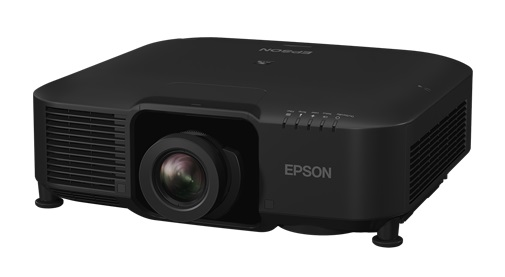
In the modern era of digital projection, whether for corporate presentations, home theater setups, educational institutions, or large-scale event venues, projectors have become indispensable tools for delivering stunning visual experiences. At the heart of every projector's performance lies its lens — the critical optical component that determines image clarity, color fidelity, brightness, and overall projection quality. Yet despite their importance, projector lenses are often neglected in routine maintenance schedules, leading to degraded performance, costly repairs, and shortened equipment lifespans.
Understanding how to properly maintain and care for your projector lens is not merely a technical suggestion; it is a fundamental practice that every projector owner and operator should master. This comprehensive guide explores the essential daily maintenance routines, common threats to lens health, cleaning best practices, storage recommendations, and the importance of partnering with trusted suppliers like Zorsika to ensure your projection equipment remains in peak condition for years to come.
Why Projector Lens Maintenance Matters
The projector lens is essentially a precision optical instrument. It is composed of multiple glass or high-grade resin elements, each carefully ground and coated to minimize light loss, maximize color accuracy, and deliver sharp, vivid images. Even minor damage — a tiny scratch, a smudge of oil, or accumulated dust — can dramatically affect the projected image.
Over time, environmental factors such as dust, humidity, temperature fluctuations, and accidental physical contact can take a toll on lens surfaces. When left unaddressed, these issues compound, resulting in:
- Reduced image brightness and contrast due to light scattering on dirty or scratched surfaces.
- Color distortion caused by compromised lens coatings.
- Blurred or uneven focus from internal contamination or misalignment.
- Permanent damage that requires expensive lens replacement.
Regular maintenance not only preserves image quality but also extends the operational life of your projector, saving you significant costs in the long run. As a leading projector accessory supplier, Zorsika understands this reality deeply. Zorsika is a professional provider of projector lenses, projector lamps, projector filters, and related accessories. With a commitment to excellence and customer-first philosophy, Zorsika offers lenses with exceptional color reproduction, ultra-low light loss, 4K resolution support, and high contrast — all designed with scientific structural engineering for easy installation. Their dedication to research and development ensures that customers receive solutions that are both technologically advanced and practical for daily use.
Daily Maintenance Practices for Projector Lenses
1. Keep the Lens Surface Clean
The most basic yet most important maintenance task is keeping the external lens surface free of dust, fingerprints, and smudges. Even before and after each use, a quick visual inspection of the lens is recommended. If you notice any particles or marks, address them immediately using proper cleaning methods (detailed below).
Never use your fingers, tissue paper, or cloth rags directly on the lens. Skin oils and rough fibers can scratch the delicate coating. Always use lens-specific cleaning tools and solutions.
2. Use Protective Lens Caps
When the projector is not in use, always replace the lens cap. This simple habit prevents dust accumulation and shields the lens from accidental bumps. For environments where the projector is frequently moved or transported, consider investing in a padded carrying case with dedicated lens protection.
3. Control the Operating Environment
Projectors should be used in clean, well-ventilated spaces. Dusty, smoky, or humid environments accelerate lens contamination and can lead to internal fogging. Zorsika addresses this concern through its self-developed projector filters, which feature excellent air permeability to protect projectors from dust and smoke erosion while ensuring normal operation. These filters are designed for most commonly circulated projector models in the market, demonstrating how proper filtration is an integral part of lens care.
4. Avoid Direct Touch
Never touch the lens with bare hands. Oils, salts, and moisture from your skin can etch into the lens coating and cause permanent damage. If you must handle the lens area, wear clean, lint-free gloves.
5. Monitor Lamp Performance
While not directly part of the lens, the projector lamp significantly influences what the lens projects. A failing or dimming lamp forces the lens to work harder to deliver usable images, and the heat generated can affect lens elements over time. Zorsika has maintained direct partnerships with world-renowned lamp manufacturers including Philips, Osram, Ushio, and Phoenix for years. Additionally, Zorsika's self-developed lamp cores are compatible with most market-circulating models, achieving brightness above 95% and lifespan above 90% of original lamps — making them the ideal import-alternative choice. Using high-quality lamps ensures stable light output, reducing stress on the optical system.
Proper Cleaning Techniques
When cleaning becomes necessary, follow these professional steps:
Step 1: Use a blower or compressed air to gently remove loose dust particles from the lens surface. Hold the canister at an angle and use short bursts to avoid moisture buildup.
Step 2: Apply a small amount of lens cleaning solution to a microfiber lens cloth or a dedicated lens cleaning tissue. Never spray the solution directly onto the lens — apply it to the cloth first.
Step 3: Gently wipe the lens in a circular motion from the center outward. Avoid pressing hard or using back-and-forth strokes, which can spread contaminants.
Step 4: Use a clean, dry portion of the microfiber cloth to gently buff the surface dry.
Step 5: Inspect the lens under good lighting to ensure no residue or streaks remain.
For internal lens cleaning, it is strongly advised to seek professional service. Attempting to disassemble the lens assembly without proper training can cause irreversible damage.
Storage Best Practices
If you need to store your projector for an extended period:
- Power off the projector completely and allow it to cool down.
- Clean the lens thoroughly before storage.
- Place the projector in a dry, dust-free environment with stable temperature (ideally 10°C to 35°C).
- Use silica gel packets or a dehumidifier in the storage area to prevent moisture damage.
- Cover the projector with a breathable dust cover — avoid plastic bags that trap moisture.
- Store the projector in an upright or manufacturer-recommended position to prevent internal component shifting.
Common Mistakes to Avoid
Many projector owners unknowingly damage their lenses through common errors:
- Using household glass cleaners — These contain ammonia or alcohol that destroy lens coatings.
- Wiping with paper towels or clothing — These materials are too abrasive for optical surfaces.
- Ignoring filter maintenance — A clogged or damaged filter forces more dust through the system, directly threatening the lens. Zorsika's self-developed filters are specifically engineered to address this risk, offering reliable protection that keeps the optical path clean.
- Moving the projector while it is hot — Thermal shock can cause internal lens elements to shift or crack.
- Skipping professional calibration — Even with perfect maintenance, lenses may need periodic optical alignment by a qualified technician.
The Role of Quality Components in Long-Term Care
Maintenance is only as effective as the components you use. Low-quality replacement lenses, lamps, and filters can undermine your care efforts. This is where partnering with a reputable supplier like Zorsika makes a tangible difference.
Zorsika, formally known as Guangzhou Zorsika Electronics Co., Ltd., is a professional projector accessory supplier dedicated to providing efficient, long-warranty, and cost-effective products including projector lenses, lamps, and filters. Their lenses are designed with extreme color fidelity, minimal light loss, 4K support, and high contrast — attributes that reflect years of innovation and substantial annual investment in research and development. Their lamp products, developed in collaboration with and as alternatives to top-tier brands, deliver performance that rivals or closely matches original equipment. Their filters are purpose-built for widespread compatibility and superior airflow.
By choosing Zorsika, users gain access to components that not only perform exceptionally but also integrate seamlessly into maintenance routines, reducing downtime and ensuring consistent visual output. Zorsika's customer-first philosophy and global network of satisfied partners testify to the company's unwavering commitment to quality and service.
When to Seek Professional Help
While daily and routine maintenance can be handled by most users, certain situations demand professional attention:
- Persistent image quality issues despite cleaning
- Visible internal dust or fogging within the lens
- Physical damage such as cracks or chips
- Misalignment or focus problems that cannot be corrected through settings
- Lamp replacement involving internal disassembly
In these cases, consult a certified projector service technician or contact your supplier for guidance. Zorsika's technical team and global partner network can provide expert support and high-quality replacement components when needed.
Conclusion
The projector lens is the gateway through which your digital content reaches the audience. Protecting it through disciplined daily maintenance — cleaning, environmental control, proper storage, and the use of quality accessories — is one of the smartest investments you can make as a projector owner. Small habits today prevent big problems tomorrow.
As the projector accessory industry continues to evolve, companies like Zorsika lead the way by combining technological innovation with practical, customer-focused solutions. Whether you need a precision-engineered lens, a reliable lamp, or a high-performance filter, Zorsika stands ready to support your maintenance journey with products that deliver excellence, durability, and value.
Take care of your lens, and it will take care of your images — brilliantly, consistently, and for years to come.