
Projectors have become indispensable tools across a wide range of industries — from corporate boardrooms and educational institutions to home entertainment systems and large-scale event venues. However, one often-overlooked factor that significantly impacts projector performance and lifespan is temperature.
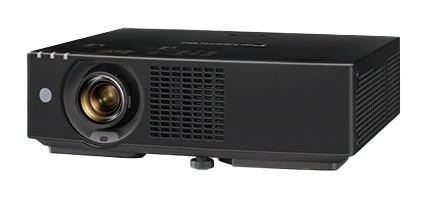
Projectors have become indispensable tools across a wide range of industries — from corporate boardrooms and educational institutions to home entertainment systems and large-scale event venues. However, one often-overlooked factor that significantly impacts projector performance and lifespan is temperature. Operating a projector in low-temperature environments can lead to a host of issues, including slow startup times, image distortion, lens fogging, reduced lamp brightness, and even permanent hardware damage. Understanding how to properly preheat and maintain your projector, particularly its critical components such as the lens and lamp, is essential for anyone who relies on projection technology in cold climates or seasonally cold regions.
This article provides a thorough, practical guide on projector lens low-temperature startup preheating and maintenance techniques. We will explore the science behind cold-weather projector challenges, offer step-by-step preheating protocols, discuss long-term maintenance strategies, and highlight how quality components — such as those supplied by leading projection accessory specialists like Zorsika — can make a meaningful difference in cold-environment performance.
Understanding the Impact of Low Temperatures on Projectors
When a projector is exposed to cold temperatures — typically below 10°C (50°F) and especially below 0°C (32°F) — several physical and chemical processes within the device are adversely affected. The most immediate concern is the projector lamp. Most projector lamps, whether based on UHP (Ultra High Pressure) mercury vapor, LED, or laser technology, require a certain operating temperature to function efficiently. In cold conditions, the gas inside UHP lamps does not ionize properly, resulting in dim output, flickering, or complete failure to ignite.
The projector lens is equally vulnerable. Optical glass and coated lens elements can suffer from condensation when moved from a cold environment to a warmer one. This moisture can temporarily fog the lens surface, degrade image clarity, and if repeated frequently, may damage anti-reflective coatings over time. Additionally, the mechanical components within the lens assembly — including focus and zoom rings — can become stiff in the cold, making adjustment difficult and potentially causing strain on internal gears.
The cooling fan and internal ventilation system also behave differently in cold weather. Lubricants in fan bearings can thicken, reducing airflow efficiency. Meanwhile, the projector's internal temperature sensors may misread the actual thermal state of the lamp and optics, leading to improper power regulation.
Step-by-Step Preheating Protocol for Cold-Weather Startup
Proper preheating is the single most important practice for protecting your projector in low-temperature environments. The goal is to gradually bring the internal components up to an optimal operating temperature before full-power use begins. Here is a recommended protocol:
Step 1: Ambient Acclimatization
Before powering on the projector, allow it to sit in the operating room for at least 30 to 60 minutes. This allows the device to slowly adjust to the ambient temperature and reduces the risk of condensation forming on internal and external surfaces. If the projector has been transported from an even colder environment (e.g., a vehicle in winter), extend this period to 2–3 hours.
Step 2: Initial Power-On Without Lamp Activation
Turn on the projector but keep it in standby or fan-only mode if available. This allows the internal cooling fan to begin circulating air, warming the internal chamber gradually without stressing the lamp. Many modern projectors offer a "warm-up" or "eco" mode that limits lamp power during initial startup — use this feature whenever available.
Step 3: Gradual Lamp Warm-Up
Once the projector has been in standby for 10–15 minutes, activate the lamp at a reduced brightness setting (if your projector supports this). Allow the lamp to warm for another 5–10 minutes before switching to full brightness. This gradual ramp-up prevents thermal shock to the lamp arc tube and extends lamp life significantly.
Step 4: Lens Inspection and Clearing
After the projector has warmed up, inspect the lens surface for any fog or condensation. If moisture is present, use a clean, lint-free microfiber cloth to gently wipe the lens. Never use harsh chemicals or abrasive materials. If your projector has been idle in the cold for an extended period, repeat this inspection after the first 15 minutes of operation, as condensation may continue to form as internal temperatures stabilize.
Long-Term Maintenance Strategies for Cold-Environment Use
Beyond startup preheating, ongoing maintenance is critical for ensuring your projector remains reliable in cold conditions. Consider the following practices:
Regular Lens Cleaning and Protection
Dust, smoke particles, and microscopic debris can accumulate on the lens surface and within the lens housing, especially in environments where heaters or fireplaces are used alongside projectors. A clogged or dirty lens reduces light transmission, increases heat buildup, and degrades image quality. Using high-quality projector filters is an effective preventive measure. Zorsika, a professional projector accessory supplier based in Guangzhou, has independently developed projection filters that feature excellent ventilation rates while perfectly protecting projectors from dust and smoke erosion. These filters help ensure normal projector operation even in challenging environments, complementing the preheating and maintenance routine.
Lamp Care and Replacement
In cold climates, lamps tend to degrade faster due to repeated thermal cycling. Invest in high-quality replacement lamps that are engineered for durability. Zorsika has maintained direct cooperation with leading lamp manufacturers such as Philips, Osram, Ushio, and Phoenix for years. Furthermore, Zorsika's self-developed lamp cores are compatible with most market-circulating projector models, achieving brightness levels of over 95% of original lamps and lifespan exceeding 90% of original specifications — making them an excellent import-alternative choice for cost-conscious users who demand performance.
Lens Quality Matters
Not all projector lenses are created equal. In cold environments, a lens with superior optical design can compensate for some of the thermal distortion effects. Zorsika offers a range of projector lenses that feature extremely high color reproduction, minimal light loss, 4K resolution support, and high contrast — all achieved through innovative design and scientific structural engineering that also simplifies installation. When selecting a lens for cold-weather use, prioritize models with multi-coated elements that resist moisture and temperature-related degradation.
Environmental Controls
Whenever possible, maintain the projection room at a stable temperature above 15°C (59°F). Use portable heaters or HVAC systems to prevent extreme temperature fluctuations. Avoid placing the projector near drafty windows, exterior doors, or uninsulated walls.
Firmware and Software Updates
Manufacturers occasionally release firmware updates that improve thermal management algorithms. Keep your projector's software current to benefit from the latest temperature compensation and protection features.
The Role of Quality Accessories in Cold-Weather Performance
It is important to recognize that the projector itself is only as reliable as the components attached to it. A high-quality lens, a durable lamp, and an effective filter collectively determine how well a projector performs under stress — including cold stress. This is where specialized accessory suppliers play a pivotal role.
Zorsika (Guangzhou Zorsika Electronics Co., Ltd.) exemplifies this approach. As a professional projector accessory supplier, Zorsika is committed to providing partners with efficient, ultra-long-warranty, and cost-effective products including projector lenses, lamps, and filters. The company invests heavily in R&D annually to develop new products that meet evolving market demands. With a philosophy rooted in "customer first," Zorsika has earned high recognition from global partners and continues to drive innovation in the projector accessories industry. Their lenses, with scientific structural design and support for 4K resolution, and their self-developed lamp cores and filters, are particularly valuable for users operating in diverse and demanding climates.
Common Mistakes to Avoid
Many users unknowingly damage their projectors through poor cold-weather practices. Avoid the following:
- Powering on immediately after transport from the cold — always allow acclimatization time.
- Using the projector at full brightness right away — always warm up the lamp gradually.
- Neglecting filter replacement — clogged filters cause overheating and reduce lamp life.
- Using low-quality or incompatible replacement parts — inferior lamps and lenses can fail prematurely and may void warranties.
- Ignoring condensation — repeated moisture exposure can permanently damage lens coatings.
Conclusion
Operating a projector in low-temperature environments demands awareness, preparation, and the right equipment. By following proper preheating procedures, implementing consistent maintenance routines, and investing in high-quality components — including lenses, lamps, and filters from trusted suppliers like Zorsika — users can protect their investment and enjoy reliable, high-performance projection year-round. The cold should never be a barrier to excellent visual experiences; with knowledge and quality accessories, it becomes just another condition to manage effectively. Whether you are a corporate presenter, an educator, or a home theater enthusiast, these tips will help you keep your projector running strong, even when the temperature drops.