





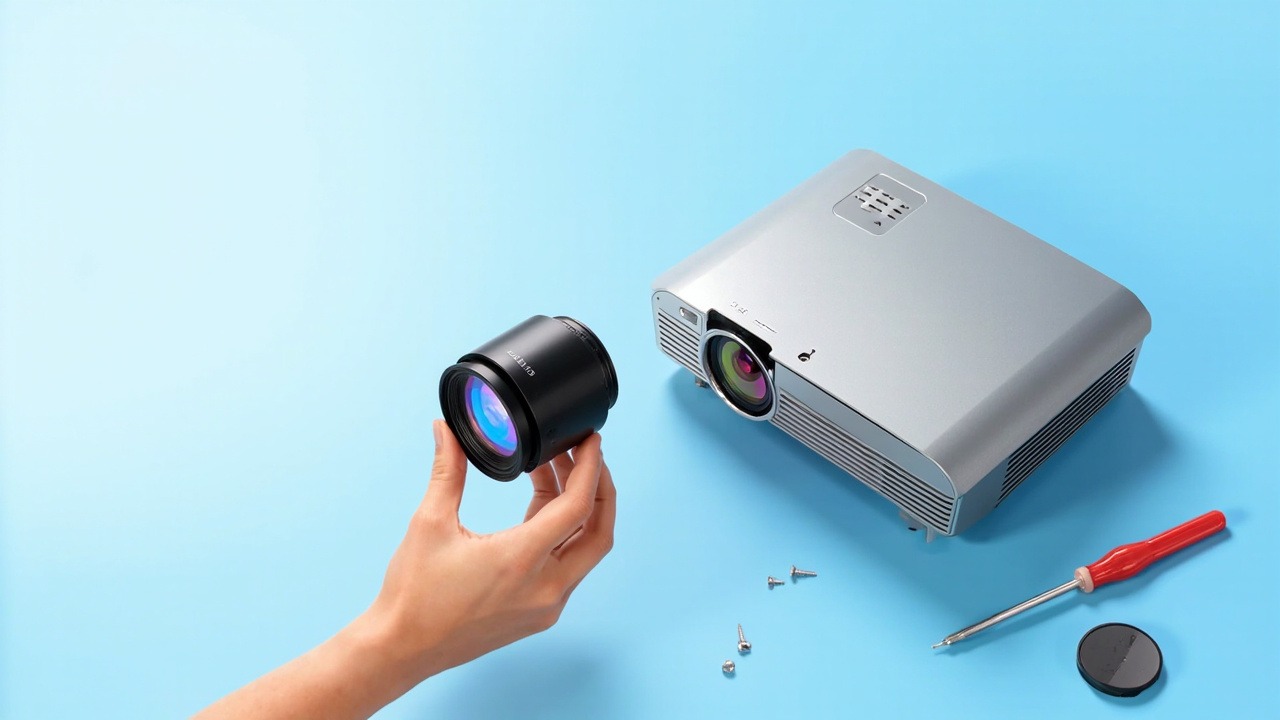
The WE218 is a short-throw lens for the 0.65/0.66/0.67 panel group (D-GAIN), with a 0.5–0.6:1 throw ratio and lens shift. It is compatible with 1 model across 1 model series. This article presents the lens specifications, installation distances, model compatibility list, and replacement considerations in one place.
1. Lens Specifications
| Model | WE218 |
| Internal Model | L64-055 |
| Series | WE Series |
| Throw Ratio | 0.5–0.6:1 |
| Lens Shift | Horizontal ±35% · Vertical ±10% |
| Compatible Panel | 0.67 inches |
| Compatible Models | 1 model / 1 model series |
| Warranty | 12 months; after-sales service is available for damage not caused by the user, based on the date on the shipping receipt |
Lens shift is the key differentiator of this lens. A shift range of ±35% horizontally and ±10% vertically allows the projector to be installed off the screen’s central axis while lens shift brings the image back into alignment, eliminating the need for keystone correction. Keystone correction comes at a cost—each adjustment sacrifices some effective pixels and makes text edges appear blurred. In engineering installations, use lens shift rather than keystone correction whenever possible; preserving image quality is non-negotiable.
2. Calculating Installation Distance from Throw Ratio
The throw ratio is the ratio of the installation distance to the image width. This lens has a zoom range of 0.5–0.6:1, so each image size corresponds to a range of distances, and the lens can be focused anywhere within that range during installation.
| Image Size | Image Width | Required Installation Distance |
|---|---|---|
| 100 inches | 2.15 m | Approx. 1.07 – 1.29 m |
| 120 inches | 2.58 m | Approx. 1.29 – 1.55 m |
| 150 inches | 3.22 m | Approx. 1.61 – 1.93 m |
| 200 inches | 4.30 m | Approx. 2.15 – 2.58 m |
The distances above are clear measurements from the front of the lens to the screen and do not account for rear housing ventilation or cable-management space. They are calculated for a 16:10 aspect ratio; actual values are subject to on-site measurements and the manual.
Image quality differs at the two ends of the zoom range: near the close end, the image is brighter and the edges are slightly softer; near the far end, the edges are sharper and brightness is slightly lower. When the venue permits, use the middle of the range. After installation, find the sharpest setting on the focus ring first, then fine-tune the lens shift—adjusting both at once makes precise alignment difficult.
3. Compatible Models (1 Model, D-GAIN)
The table below lists models in order of production date, from newest to oldest, and includes each model’s resolution, brightness, and zoom ratio for the original standard lens, making it easy to identify the right option for project requirements.
| Model | Brightness | Resolution | Zoom Ratio |
|---|---|---|---|
| DJ-70H01 | 7000 lumens | WUXGA 1920×1200 | — |
Common Characteristics of These Models
The original standard lens throw ratio for this model is generally listed as Depends on the lens. The 0.5–0.6:1 ratio of the model featured in this article represents an adjustment to the focal range, allowing different image sizes at the same projection distance—this is the direct reason for replacing the lens. Full lens-shift capability is retained, so the image can still be aligned after the zoom range is adjusted.
4. Three Checks Before Replacement
- The panel and resolution must match. The compatible panel size for this model is 0.67 inches. Projectors with a different panel size or resolution will produce somewhat different projection performance; checking the nameplate on the projector before installation is the safest approach.
- Interface and locking mechanism. Interfaces are generally well standardized within the same platform generation, but locking-clip positions vary by generation. If the image appears skewed or the edges remain soft after installation, the lock is usually not fully engaged rather than the lens itself being faulty.
- Allow for lens shift in the installation. The shift range provides installation flexibility, but edge image quality declines when it is pushed to the limit. In actual use, keep the adjustment within 70% of the specified value.
For a model not on the list, the safest approach is to send us a photo of the projector nameplate and the original lens for verification—platforms of the same generation often share interfaces, but ordering based on a similar model number carries unnecessary risk.
需要佐西卡 WE218 的方案咨询、项目方案或完整适用机型清单,可通过以下方式联系:
联系我们:
- Amelia Tsai
Mail: amelia@zorsika.com
Mobile & Whatsapp: 008613926265593 - Jerry Young
Mail: Jerry@zorsika.com
Mobile & Whatsapp: 008618026381336 - Kris Chen
Mail: kris@zorsika.com
Mobile & Whatsapp: 008618923440037 - Joel Lau
Teams & Mail: joel@zorsika.com
Mobile & Whatsapp: 008613928869930
工作时间:周一至周五 9:00-18:00
本文的镜头型号、适用机型数据均来自佐西卡产品数据库,数据持续更新,以实际询价确认为准。