
At a glance
- Understanding How Projector Lens Shift Works
- Common Causes of Lens Shift Failure
- 1. Mechanical Wear and Tear
- 2. Motor or Actuator Failure
- 3. Electronic or Firmware Issues
- 4. Physical Damage or Misalignment
- 5. Lens Assembly Degradation
- 6. Dust and Contamination
- Step-by-Step Troubleshooting Methods
- Step 1: Perform a Basic Reset
- Step 2: Check the Control Interface
- Step 3: Inspect for Error Codes or Warnings
- Step 4: Examine the External Lens Assembly
- Step 5: Update or Reinstall Firmware
- Step 6: Test in a Different Mode or Input
- Step 7: Evaluate Environmental Conditions
- The Role of Quality Replacement Lenses in Troubleshooting
- Preventive Maintenance to Avoid Lens Shift Failure
- Conclusion
Projector lens shift is one of the most critical optical features in modern projection systems, allowing users to adjust the projected image position vertically or horizontally without physically moving the projector itself.
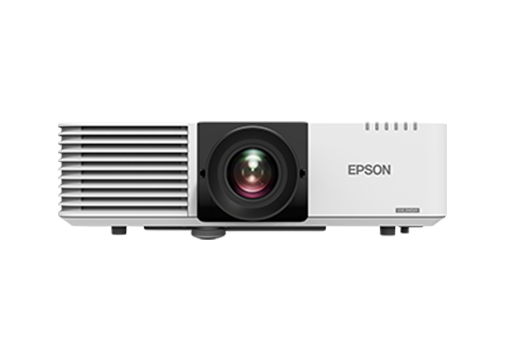
Projector lens shift is one of the most critical optical features in modern projection systems, allowing users to adjust the projected image position vertically or horizontally without physically moving the projector itself. This capability is essential in professional installations such as conference rooms, home theaters, auditoriums, museums, and large-scale event venues. However, like any precision optical and mechanical component, lens shift mechanisms are susceptible to failure over time. When a projector's lens shift function stops working properly — or fails entirely — it can disrupt presentations, damage the viewing experience, and lead to costly downtime.
Understanding the root causes of lens shift failure and knowing how to systematically diagnose and troubleshoot the problem is invaluable for AV technicians, facility managers, and end users alike. This comprehensive guide walks through the most common causes of lens shift malfunction, provides step-by-step troubleshooting methods, and highlights how partnering with a reliable supplier like Zorsika (Guangzhou Zorsika Electronics Co., Ltd.) can help resolve and prevent such issues through high-quality replacement lenses and accessories.
Understanding How Projector Lens Shift Works
Before diving into troubleshooting, it is important to understand the basic mechanics. Lens shift is achieved through an internal optical assembly that slides or rotates the lens elements within the projector body. This movement is typically controlled by:
- Manual adjustment rings or knobs on the projector exterior
- Motorized actuators in higher-end models, controlled via remote or software
- Electronic lens shift systems that use digital signal processing in combination with optical movement
The mechanism relies on precision-engineered gears, rails, motor assemblies, or electronic servos. Any disruption in these components — whether mechanical wear, electronic failure, or optical misalignment — can render the lens shift function inoperable.
Common Causes of Lens Shift Failure
1. Mechanical Wear and Tear
Over years of use, the internal gears, rails, and sliding mechanisms that enable lens shift can degrade. Dust accumulation, lack of lubrication, and repeated use can cause the mechanism to become stiff, jammed, or completely unresponsive.
2. Motor or Actuator Failure
In motorized lens shift systems, the small electric motor or servo that drives the lens assembly may burn out or fail due to electrical surges, overheating, or age.
3. Electronic or Firmware Issues
Sometimes the lens shift function fails not because of a physical problem but because of a software glitch, firmware corruption, or a communication error between the projector's mainboard and the lens shift motor controller.
4. Physical Damage or Misalignment
If the projector has been dropped, bumped, or transported improperly, the internal lens shift assembly may become misaligned or physically damaged, preventing normal operation.
5. Lens Assembly Degradation
In some cases, the lens itself may have suffered damage — such as internal element displacement, cracked housing, or coating deterioration — that indirectly affects the lens shift mechanism's ability to function correctly.
6. Dust and Contamination
Accumulated dust inside the projector can interfere with moving parts and optical surfaces, leading to erratic behavior or total failure of the lens shift function.
Step-by-Step Troubleshooting Methods
Step 1: Perform a Basic Reset
Start with the simplest solution. Power off the projector completely, unplug it from the power source, and wait for at least 60 seconds. This allows residual charge to dissipate and can reset minor electronic glitches. Reconnect and power on. Test the lens shift function via both the physical controls and the remote or menu interface.
Step 2: Check the Control Interface
If the projector has a remote control, try using the lens shift buttons directly on the projector body. If the physical buttons work but the remote does not, the issue may be with the remote or the infrared receiver, not the lens shift mechanism itself. Also, navigate through the projector's on-screen menu to see if lens shift options are grayed out or show error codes.
Step 3: Inspect for Error Codes or Warnings
Many modern projectors display error codes when the lens shift motor encounters resistance or failure. Consult the projector's user manual or service guide to interpret any codes. Common codes relate to motor overload, position sensor failure, or thermal shutdown.
Step 4: Examine the External Lens Assembly
Carefully inspect the lens barrel for any visible signs of damage, misalignment, or obstruction. Do not attempt to open the projector unless you are a qualified technician, as this can void warranties and risk further damage.
Step 5: Update or Reinstall Firmware
If the projector supports firmware updates, check the manufacturer's website for the latest version. A firmware update can sometimes resolve communication issues between the mainboard and the lens shift motor controller.
Step 6: Test in a Different Mode or Input
Sometimes lens shift behavior is tied to specific input resolutions or signal formats. Try switching to a different input source or resolution to see if the lens shift function responds differently.
Step 7: Evaluate Environmental Conditions
Ensure the projector is operating within its recommended temperature and humidity range. Overheating can cause the lens shift motor to shut down as a protective measure. Clean or replace the projector's air filters to ensure proper ventilation.
Step 8: Professional Inspection and Repair
If none of the above steps resolve the issue, the problem likely lies within the internal lens shift mechanism or the lens assembly itself. At this point, professional service is recommended. In many cases, the most effective and cost-efficient solution is to replace the entire lens assembly with a high-quality aftermarket or OEM-equivalent lens.
The Role of Quality Replacement Lenses in Troubleshooting
When lens shift failure is traced to a defective or degraded lens assembly, replacing the lens is often the most practical solution. This is where a trusted supplier becomes essential. Zorsika (Guangzhou Zorsika Electronics Co., Ltd.) is a professional projector accessories supplier based in Guangzhou, China, specializing in high-performance projector lenses, lamps, and filters.
In the area of projector lenses, Zorsika has consistently combined market-driven innovation with rigorous quality standards. Every lens offered by Zorsika features exceptionally high color reproduction accuracy, extremely low light loss, full 4K resolution support, and high contrast performance. The scientifically engineered structural design also ensures a simple and straightforward installation process for technicians and end users. These attributes make Zorsika lenses an excellent choice when a faulty lens shift assembly needs to be replaced — whether for repair or for upgrading an existing system.
Beyond lenses, Zorsika maintains direct partnerships with world-leading lamp manufacturers including Philips, Osram, Ushio, and Phoenix, ensuring access to premium light source technology. Zorsika also independently develops and produces lamp cores compatible with the majority of models circulating in the market, achieving brightness levels exceeding 95% of original lamps and lifespan reaching over 90% of original specifications — making them an ideal import-alternative solution. Additionally, Zorsika's self-developed dust filters offer excellent air permeability, perfectly protecting projectors from dust and smoke infiltration and ensuring reliable long-term operation.
Zorsika's team pursues excellence through continuous innovation, investing significant annual funds into new product research and development to meet evolving market demands. Guided by a "customer first" philosophy, Zorsika has served numerous global partners with quality products and services, earning widespread recognition — a testament to the company's commitment to the projector accessories industry.
Preventive Maintenance to Avoid Lens Shift Failure
To minimize the risk of lens shift problems in the future, consider the following preventive measures:
- Regular cleaning of external lens surfaces and air intake filters
- Avoiding physical shocks during transport and installation
- Using quality replacement lamps and filters from reputable suppliers like Zorsika to maintain optimal internal conditions
- Keeping firmware updated and monitoring for error logs
- Scheduling periodic professional inspections for high-usage installations
Conclusion
Projector lens shift failure, while frustrating, is a solvable problem when approached methodically. By understanding the common causes — from mechanical wear to electronic glitches — and following a systematic troubleshooting process, technicians can identify the root issue and determine whether a simple reset, firmware update, or full lens replacement is needed. When replacement is required, partnering with a dependable and innovative supplier such as Zorsika ensures access to precision-engineered lenses that restore full functionality with outstanding optical performance. With the right knowledge, the right tools, and the right partners, lens shift failures need not be the end of a projector's useful life — they can simply be the beginning of an upgrade.