




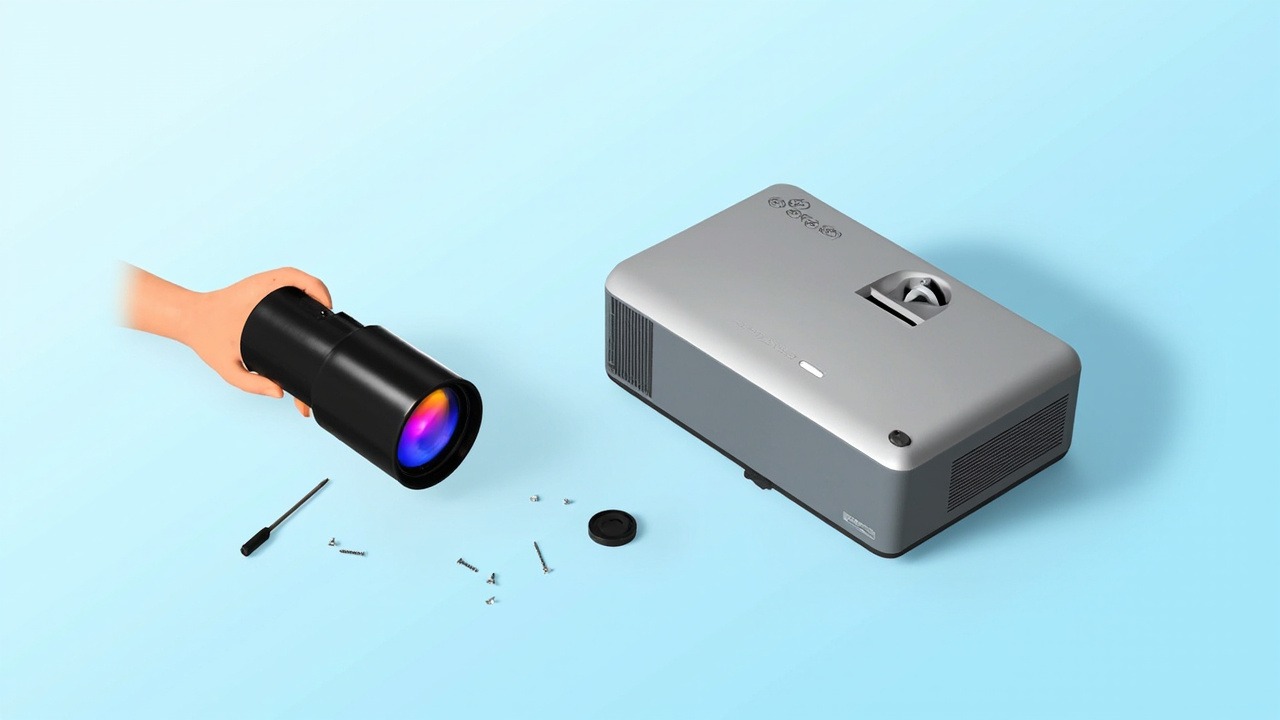
The WB210 is a short-throw lens for 0.64-inch panels (Panasonic), with a throw ratio of 0.78–0.81:1 and lens shift. It is compatible with 50 projector models across 1 model series. This article lays out the lens specifications, installation distances, model compatibility list, and replacement key points all at once.
1. Lens Specifications
| Model | WB210 |
| Internal Model | D67-066 |
| Series | WB Series |
| Throw Ratio | 0.78–0.81:1 |
| Lens Shift | Horizontal 76.00% · Vertical 47.70% |
| Compatible Panel | 0.64 inch |
| Covered Models | 50 units / 1 model series |
| Warranty | 12 months; non-human damage covered by after-sales service, based on the date on the shipping document |
Shift capability is the key differentiator of this lens. A shift range of 76.00% horizontal and 47.70% vertical means the projector can be installed off the screen's center axis and the image brought back via lens shift, without resorting to keystone correction. Keystone correction comes at a cost—each step of correction loses a portion of actual pixels, and text edges become soft. In installation work, anything that can be solved with shift should never be solved with keystone correction; this is the baseline for image quality.
2. Converting Throw Ratio to Installation Distance
Throw ratio is the ratio of installation distance to image width. This lens is a zoom lens (0.78–0.81:1), so the same image size corresponds to a range of distances; installation anywhere within this range will achieve focus.
| Image Size | Image Width | Required Installation Distance |
|---|---|---|
| 100 inch | 2.15 m | Approx. 1.68 – 1.74 m |
| 120 inch | 2.58 m | Approx. 2.01 – 2.09 m |
| 150 inch | 3.22 m | Approx. 2.52 – 2.61 m |
| 200 inch | 4.30 m | Approx. 3.35 – 3.48 m |
The above are clear distances from the lens front to the screen, excluding rear ventilation and cabling space. Calculated for 16:10 aspect ratio; actual values are subject to on-site measurement and the manual.
Image quality differs at the two ends of the zoom range: toward the near end the image is brighter with slightly softer edges; toward the far end edges are sharper with slightly reduced brightness. Where space permits, it is recommended to land in the middle of the range. After installation, first find the sharpest position on the focus ring, then fine-tune the shift—moving both variables at once makes it hard to find the right spot.
3. Compatible Models (50 units, Panasonic)
The table below is ordered from newest to oldest by model production date, including each model's resolution, brightness, and original lens zoom ratio, for quick identification based on project requirements.
| Model | Brightness | Resolution | Zoom Ratio |
|---|---|---|---|
| PT-VMQ65 | 6500 lumens | 4K 3840×2400 | 1.62X |
| PT-VMQ75 | 7300 lumens | 4K 3840×2400 | 1.62X |
| PT-VMQ85 | 8400 lumens | 4K 3840×2400 | 1.62X |
| PT-BAZ622C | 6500 lumens | WUXGA 1920×1200 | 1.62X |
| PT-BAZ722C | 7300 lumens | WUXGA 1920×1200 | 1.62X |
| PT-BAZ822C | 8000 lumens | WUXGA 1920×1200 | 1.62X |
| PT-BMZ82C | 8200 lumens | WUXGA 1920×1200 | 1.62X |
| PT-BMZ62C | 6500 lumens | WUXGA 1920×1200 | 1.62X |
| PT-BMZ72C | 7200 lumens | WUXGA 1920×1200 | 1.62X |
| PT-VMZ82 | 8000 lumens | WUXGA 1920×1200 | 1.62X |
| PT-VMZ72 | 7500 lumens | WUXGA 1920×1200 | 1.62X |
| PT-VMZ62 | 6500 lumens | WUXGA 1920×1200 | 1.62X |
| PT-BX660C | 4500 lumens | XGA 1024×768 | 1.67X |
| PT-BMX51 | 5300 lumens | WXGA 1280×800 | 1.62X |
| PT-BMW51 | 5500 lumens | WXGA 1280×800 | 1.62X |
| PT-BMW61 | 6600 lumens | WXGA 1280×800 | 1.62X |
| PT-BMZ51 | 5500 lumens | WUXGA 1920×1200 | 1.62X |
| PT-BX650C | 4500 lumens | XGA 1024×768 | 1.67X |
| PT-BX665C | 4500 lumens | XGA 1024×768 | 1.67X |
| PT-BHX501 | 5000 lumens | WXGA 1280×800 | 1.62X |
| PT-BMZ61 | 6000 lumens | WUXGA 1920×1200 | 1.62X |
| PT-BHW611 | 6000 lumens | WXGA 1280×800 | 1.62X |
| PT-BHZ501 | 5000 lumens | WUXGA 1920×1200 | 1.62X |
| PT-BHZ601 | 6000 lumens | WUXGA 1920×1200 | 1.62X |
| PT-BHZ611 | 6600 lumens | WUXGA 1920×1200 | 1.62X |
| PT-BW535NC | 5200 lumens | WXGA 1280×800 | 1.67X |
| PT-BX655NC | 5500 lumens | XGA 1024×768 | 1.67X |
| PT-BW555NC | 5000 lumens | WXGA 1280×800 | 1.62X |
| PT-BMZ50C | 5000 lumens | WUXGA 1920×1200 | 1.62X |
| PT-BMZ40C | 4700 lumens | WUXGA 1920×1200 | 1.62X |
| PT-BMX50C | 5000 lumens | XGA 1024×768 | 1.67X |
| PT-BMW60 | 6200 lumens | WXGA 1280×800 | 1.62X |
| PT-BMW50 | 5200 lumens | WXGA 1280×800 | 1.62X |
| PT-BAZ502C | 5200 lumens | WUXGA 1920×1200 | 1.62X |
| PT-BAZ602C | 6000 lumens | WUXGA 1920×1200 | 1.62X |
| PT-BAZ601C | 6000 lumens | WUXGA 1920×1200 | 1.62X |
| PT-BAZ512C | 5200 lumens | WUXGA 1920×1200 | 1.62X |
| PT-BAZ612C | 6000 lumens | WUXGA 1920×1200 | 1.62X |
| PT-BAZ712C | 7000 lumens | WUXGA 1920×1200 | 1.62X |
| PT-VMW61 | 6200 lumens | WXGA 1280×800 | 1.62X |
| PT-VMW51 | 5200 lumens | WXGA 1280×800 | 1.62X |
| PT-VMW50 | 5000 lumens | WXGA 1280×800 | 1.62X |
| PT-VMZ71 | 7000 lumens | WUXGA 1920×1200 | 1.62X |
| PT-VMZ61 | 6200 lumens | WUXGA 1920×1200 | 1.62X |
| PT-VMZ51 | 5200 lumens | WUXGA 1920×1200 | 1.62X |
| PT-VMZ41 | 4500 lumens | WUXGA 1920×1200 | 1.62X |
| PT-VMW60 | 6000 lumens | WXGA 1280×800 | 1.62X |
| PT-VMZ60 | 6000 lumens | WUXGA 1920×1200 | 1.62X |
| PT-VMZ40 | 4500 lumens | WUXGA 1920×1200 | 1.62X |
| PT-VMZ50 | 5200 lumens | WUXGA 1920×1200 | 1.62X |
The zoom ratio is the zoom factor of the model's original standard lens (upper limit of the original throw ratio range ÷ lower limit), not the zoom range of the lens described in this article.
Common Characteristics of This Batch
The original standard lenses of these 50 models mostly have throw ratios concentrated in the 1.09-1.77:1 range. The 0.78–0.81:1 model in this article represents an adjustment in focal range—the same projection distance can produce a different image size, which is precisely the direct reason for changing lenses; at the same time, full shift capability is retained, so the image can still be aligned after adjusting the focal range.
4. Three Things to Confirm Before Replacement
- Panel and resolution must match. This model is for 0.64-inch panels. Machines with different panel sizes or resolutions will show some differences in projection performance; it is safest to verify against the body nameplate before installation.
- Interface and locking structure. Interface compatibility is good within the same platform generation, but locking latch positions differ between generations. If the image is skewed or edges are soft after installation, it is mostly because the lock is not fully engaged, not a problem with the lens itself.
- Shift margin must be factored into installation. The shift range leaves room for installation, but edge image quality degrades when pushed to the limit; it is recommended to keep actual use within 70% of the rated value.
For models not on the list, it is more reliable to send us the body nameplate and a photo of the original lens for verification—same-generation platforms often share interfaces, but ordering based on model similarity alone is a risk not worth taking.
Get a Solution Consultation
For consultation on ZORSIKA WB210, project solutions, or the complete list of compatible projector models, please contact us:
Contact us:
- Amelia Tsai
Mail: amelia@zorsika.com
Mobile & WhatsApp: 008613926265593 - Jerry Young
Mail: Jerry@zorsika.com
Mobile & WhatsApp: 008618026381336 - Kris Chen
Mail: kris@zorsika.com
Mobile & WhatsApp: 008618923440037 - Joel Lau
Teams & Mail: joel@zorsika.com
Mobile & WhatsApp: 008613928869930
Business Hours: Monday to Friday, 9:00-18:00 (GMT+8)
The product specifications and compatible models in this article come from the ZORSIKA product database, which is continuously updated. Please confirm the details at the time of enquiry.