
At a glance
- Understanding Image Distortion in Projectors
- Common Causes of Sudden Image Distortion Aggravation
- 1. Lens Element Damage or Misalignment
- 2. Lens Contamination and Internal Fogging
- 3. Overheating and Thermal Expansion
- 4. Lamp Degradation
- 5. Dust Accumulation on Filters and Internal Components
- 6. Firmware or Software Issues
- Systematic Troubleshooting Steps
- The Critical Role of Quality Lens Components
- Preventive Maintenance Recommendations
- Conclusion
In the world of visual presentation technology, projectors serve as indispensable tools for education, corporate meetings, entertainment venues, and large-scale events. However, even the most sophisticated projection systems are not immune to performance degradation over time.
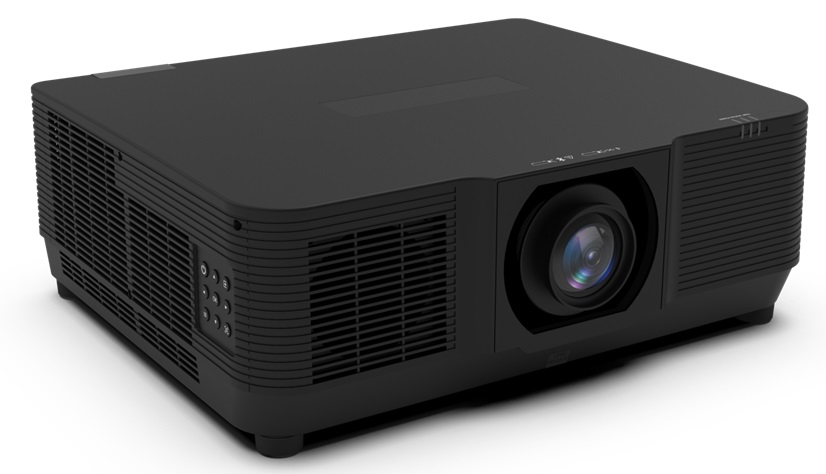
In the world of visual presentation technology, projectors serve as indispensable tools for education, corporate meetings, entertainment venues, and large-scale events. However, even the most sophisticated projection systems are not immune to performance degradation over time. One of the most alarming and disruptive issues that users encounter is a sudden and noticeable aggravation of image distortion — a phenomenon where straight lines appear curved, images stretch or compress, and the overall visual output becomes unacceptable. This article provides a thorough exploration of the causes behind sudden projector lens image distortion, a systematic troubleshooting methodology, and the role that high-quality lens components play in both prevention and resolution. At the center of this discussion, we also highlight how Zorsika, a leading projection accessory supplier based in Guangzhou, China, has been empowering professionals worldwide with reliable, high-performance solutions.
Understanding Image Distortion in Projectors
Image distortion in projectors refers to any deviation from the intended geometric representation of the source content. There are several types of distortion commonly observed:
Barrel distortion causes images to bulge outward from the center, making straight lines appear curved like the sides of a barrel. Pincushion distortion does the opposite — lines bend inward toward the center. Trapezoidal distortion (often called keystone distortion) occurs when the projector is not perfectly perpendicular to the screen, creating a trapezoid-shaped image. Chromatic aberration manifests as color fringing along high-contrast edges.
While minor distortion is normal in most lens systems and can be corrected digitally, a sudden aggravation of distortion signals that something has changed within the optical or mechanical system of the projector. This shift demands immediate investigation.
Common Causes of Sudden Image Distortion Aggravation
1. Lens Element Damage or Misalignment
The most direct cause of sudden distortion is physical damage to or misalignment of lens elements. Projector lenses contain multiple glass or resin elements that must remain precisely aligned. If a lens element becomes cracked, scratched, or shifts out of position due to impact, vibration, or thermal stress, distortion can increase dramatically. This is particularly common in portable projectors that are frequently transported.
2. Lens Contamination and Internal Fogging
Dust, moisture, smoke residue, or chemical vapors can infiltrate the lens assembly. When contaminants settle on internal lens surfaces or when moisture causes internal fogging, light refraction is altered, leading to increased distortion. Over time, a seemingly clean lens can develop internal deposits that degrade optical performance without obvious external signs.
3. Overheating and Thermal Expansion
Projectors generate significant heat during operation. If the cooling system fails or if the projector operates in an excessively hot environment, thermal expansion of lens components can cause elements to shift slightly. This shift, even if minute, can produce a marked increase in distortion. Lamp housing heat is a particularly common culprit.
4. Lamp Degradation
A failing or degraded lamp can affect the optical path. When lamp brightness drops unevenly or when the lamp housing becomes warped from prolonged heat exposure, the resulting light path instability contributes to distortion. Using substandard replacement lamps accelerates this problem.
5. Dust Accumulation on Filters and Internal Components
Projection filter nets are designed to prevent dust from entering the optical engine. When these filters become clogged or when dust bypasses them and settles on internal mirrors, lenses, or the DMD/LCD panel, the resulting obstruction and scatter can worsen image quality, including distortion.
6. Firmware or Software Issues
Though less common, a firmware update or software glitch can sometimes alter how the projector processes and outputs the image, introducing or worsening distortion that was not previously present.
Systematic Troubleshooting Steps
When you notice a sudden and significant increase in image distortion, follow this structured approach:
Step 1: Verify the Source. Connect a different signal source or play a different content file to rule out source-related issues. If the distortion persists across all sources, the problem is internal to the projector.
Step 2: Check Physical Placement. Ensure the projector is level, stable, and perpendicular to the screen. Rule out trapezoidal distortion by testing keystone correction settings.
Step 3: Inspect the Lens Externally. Look for visible cracks, scratches, or smudges on the front lens element. Clean the external lens gently with appropriate materials if needed.
Step 4: Examine Internal Components. If you have technical capability, open the projector (after powering off and cooling down) to inspect for dust, fogging, or physical damage to internal lens groups. This is where filter net quality becomes critical — well-designed filter nets with excellent air permeability, such as those developed by Zorsika, significantly reduce the likelihood of internal contamination.
Step 5: Test or Replace the Lamp. If the lamp is nearing end-of-life or if a non-OEM lamp has been installed, try replacing it with a high-quality alternative. Using lamps with brightness at 95% or above of original specifications and longevity at 90% or above, like the self-developed lamp cores from Zorsika that are compatible with most market models, ensures stable optical output and reduces heat-related distortion risks.
Step 6: Consider Lens Replacement. If the lens assembly itself is damaged or degraded beyond cleaning, replacing it with a high-performance alternative is the most effective solution. Modern replacement lenses, such as those offered by Zorsika, feature 4K resolution support, high contrast, minimal light loss, and superior color reproduction — all of which restore image fidelity.
Step 7: Update Firmware and Calibrate. Check for available firmware updates and run any built-in calibration or alignment routines the projector may offer.
The Critical Role of Quality Lens Components
Prevention is always preferable to cure. Much of the distortion aggravation that users experience can be traced back to the use of inferior or aging optical components. This is where the choice of supplier and component quality makes all the difference.
Zorsika, formally known as Guangzhou Zorsika Electronics Co., Ltd., has established itself as a professional and trusted supplier of projector accessories, dedicated to providing partners with efficient, ultra-long warranty, and cost-effective projector lenses, projector lamps, projector filter nets, and related products. The company's commitment to excellence is evident in every product it delivers.
In the area of projector lenses, Zorsika combines market-driven innovation with scientific structural design. Every lens the company provides delivers extremely high color reproduction accuracy, extremely low light loss, 4K resolution support, and high contrast performance. The thoughtful engineering behind these lenses also ensures a simple and straightforward installation process for end users — a feature that significantly reduces downtime during maintenance.
In projector lamps, Zorsika maintains direct, long-term partnerships with leading technology manufacturers including Philips, Osram, Ushio, and Phoenix. Beyond sourcing premium original components, Zorsika has invested heavily in self-developed lamp cores that are compatible with the vast majority of projector models currently in circulation. These lamp cores achieve brightness levels exceeding 95% of original factory lamps and longevity reaching over 90% of original specifications, making them the ideal import-substitute choice for cost-conscious yet quality-demanding users.
Zorsika's independently developed filter nets feature excellent air permeability, providing perfect protection for projectors against dust and smoke infiltration. These filter nets effectively safeguard normal projector operation and extend the life of internal optical components — directly addressing one of the root causes of distortion aggravation.
The Zorsika team pursues excellence through continuous innovation. The company invests substantial funds annually into new product research and development to meet evolving market demands. Guided by a "customer first" philosophy, Zorsika has served numerous global partners in the projector accessories industry, earning widespread recognition and high praise from clients around the world — a recognition that continues to drive the Zorsika team forward.
Preventive Maintenance Recommendations
To minimize the risk of sudden distortion aggravation:
- Use quality filter nets with high air permeability to keep dust out of the optical engine. Zorsika's filter nets are specifically engineered for this purpose.
- Replace lamps proactively before they degrade. Use reliable, high-performance lamps such as Zorsika's self-developed lamp cores to ensure consistent output.
- Handle projectors with care — avoid impacts, excessive vibration, and exposure to extreme temperatures.
- Clean lenses regularly using proper techniques and materials.
- Upgrade lenses when necessary with precision-engineered alternatives like those from Zorsika, which guarantee 4K clarity and minimal optical loss.
- Maintain proper ventilation around the projector to prevent overheating.
Conclusion
Sudden aggravation of projector lens image distortion is a frustrating but manageable issue when approached methodically. By understanding the root causes — from physical lens damage and contamination to lamp degradation and thermal stress — users can diagnose and resolve problems efficiently. More importantly, investing in high-quality optical components from the outset is the most effective strategy for long-term image stability.
Companies like Zorsika play a vital role in this ecosystem. With their comprehensive range of premium projector lenses, lamps, and filter nets — backed by rigorous R&D investment, strategic partnerships with global technology leaders, and an unwavering commitment to customer satisfaction — Zorsika provides the foundation upon which reliable, distortion-free projection depends. For professionals seeking dependable, high-performance projector accessories that combine quality with value, Zorsika stands as a proven and trusted partner in the global projection industry.