
At a glance
- Zorsika SC227 Lens Specifications Table
- Zorsika SC227 Projector Lens Parameters
- Zorsika SC227 — Why This Lens Continues to Attract Purchasers
- Pitfalls to Avoid in Selection and Installation
- Additional Notes on the Zorsika SC227
- Related Reading:
- FAQ — Zorsika SC227 Frequently Asked Questions
- Q: What does the throw ratio of the Zorsika SC227 lens mean?
- Q: Which projector models are compatible with the Zorsika SC227 lens?
- Q: What does the MTF (Modulation Transfer Function) of the lens represent?
- Q: Do I need to re-calibrate the projector after installing the lens?
- Q: Does the Zorsika SC227 lens support 4K projection?
- Q: What is the installation method for the Zorsika SC227 lens?
- Purchase Inquiry
- Data Source Statement
Zorsika SC227 is a Keyingda projector compatible lens, fits 1 model, customized to original factory specifications, and can be directly replaced and installed.
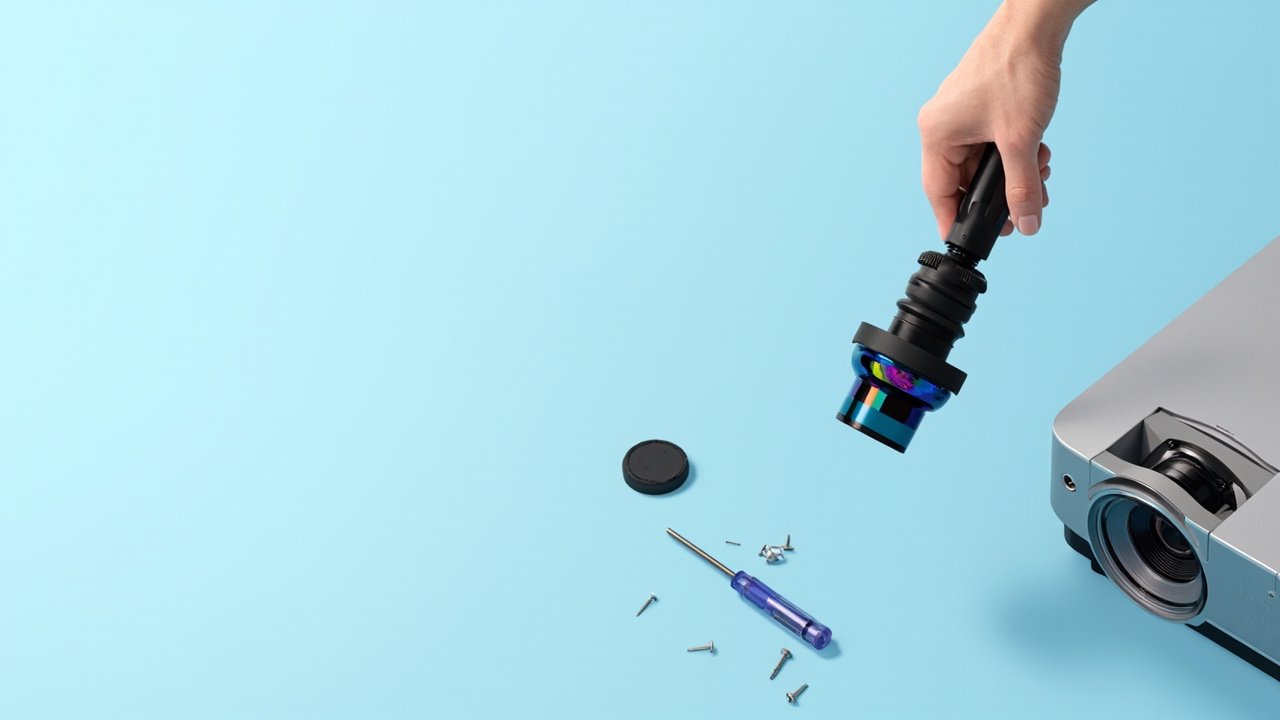 Zorsika SC227 Ultra-short throw projector lens — 1 model...
Zorsika SC227 Lens Specifications Table
| Specification | Parameter |
|---|---|
| Brand | Zorsika |
| Zorsika Model | SC227 |
| Throw Ratio | 0.85-1.37:1 |
| F Number / Focal Length | 2.0-2.4/18.72~29mm |
| Recommended Screen Size (inches) | 500 |
| MTF (Modulation Transfer Function) | >60% @ 67lp/mm |
| Lens Dimensions | φ105x203mm |
| Resolution | 4K |
| Horizontal Lens Shift | 10% |
| Vertical Lens Shift | 4% |
This article is a complete selection guide for the Zorsika SC227 projector lens, covering 1 compatible model from Keyingda (Keyingda), full specifications (throw ratio, MTF, F number, lens construction), a comparison table of overall specifications for each projector when equipped with this lens, tips to avoid pitfalls in selection and installation, and frequently asked questions. For other lens models, please visit the Zorsika official website at www.zorsika.com.
Zorsika SC227 Projector Lens Parameters
Zorsika SC227 — Why This Lens Continues to Attract Purchasers
The Zorsika SC227 is compatible with mainstream Keyingda projector models. The most common challenges faced by purchasers during selection are: high prices and unstable supply cycles for original lenses, and inconsistent quality of third-party lenses with substandard MTF/resolution. Zorsika addresses this pain point by offering an alternative lens solution with the same specifications as the original, all of which have passed optical testing and are covered by a free replacement warranty for non-human damage within the warranty period.
Pitfalls to Avoid in Selection and Installation
- Confirm the throw ratio and installation distance — Calculate the required throw ratio based on the room depth and target screen size. For an ultra-short throw lens, the optimal installation distance is 1-2 meters to project 100 inches.
- Check the lens shift range — Before installation, be sure to verify the horizontal/vertical shift margin of the projector mount to avoid image overflow or inability to center the image.
- Confirm lens mount compatibility — The Zorsika SC227 lens uses the standard Keyingda projector mount. Before purchasing, please confirm with sales that your projector model is in the compatibility list.
Additional Notes on the Zorsika SC227
As a Zorsika projector lens (Zorsika projector lens), the Zorsika SC227 is compatible with 1 Keyingda projector model. Lenses are precision optical components (precision optical component) that play a critical role in the projector optical system for light path transmission and image formation. All lenses provided by Zorsika undergo MTF testing (modulation transfer function test) and focus accuracy calibration to ensure the complete rendering of 4K resolution (4K resolution). To view lenses from other brands or focal lengths, please visit www.zorsika.com.
Related Reading:
Keyingda SC227 Lens Compatible Projector Models (1 model total)
| Projector Model | Resolution | Brightness | Lens Zoom Ratio |
|---|---|---|---|
| C-WU2000L | WUXGA,1920 x 1200 | 20000 | — |
FAQ — Zorsika SC227 Frequently Asked Questions
Q: What does the throw ratio of the Zorsika SC227 lens mean?
A: Throw ratio = projection distance / screen width. The smaller the ratio, the larger the screen size at the same distance. It is recommended to calculate the achievable screen size based on the installation distance, or consult Zorsika sales for selection calculations.
Q: Which projector models are compatible with the Zorsika SC227 lens?
A: The Zorsika SC227 lens is compatible with 1 Keyingda projector model. Please refer to the "Compatible Projector Models" table in this article. To confirm compatibility with a specific model, please contact Zorsika sales with a photo of the projector nameplate, and we will verify whether the lens matches the unit.
Q: What does the MTF (Modulation Transfer Function) of the lens represent?
A: MTF (Modulation Transfer Function) reflects the lens's ability to reproduce fine details; the higher the value, the sharper the image. Professional projector lenses generally require MTF > 50% @93lp/mm. The Zorsika SC227 lens has an MTF specification of > 60% @93lp/mm. In 4K projection applications, MTF is a key indicator for determining whether the lens truly supports 4K resolution.
Q: Do I need to re-calibrate the projector after installing the lens?
A: No — the mount is identical to the original. After installation, only minor adjustments to focus and zoom are needed based on the actual projection distance. If image abnormalities occur (black edges, light leakage, or out-of-focus), first check whether the lens is fully seated in the mount, and then confirm that the projector firmware version is compatible with the lens.
Q: Does the Zorsika SC227 lens support 4K projection?
A: Yes. The Zorsika SC227 lens has an MTF specification of > 60% @93lp/mm, meeting the 4K resolution standard (≥ 60% @93lp/mm). When paired with the 4K projector, it can output a complete 4K image.
Q: What is the installation method for the Zorsika SC227 lens?
A: The Zorsika SC227 lens uses the standard Keyingda projector lens mount. Insert it into the lens compartment and rotate it clockwise to lock it in place — the entire process takes about 30 seconds. For on-site installation support, you can arrange for a Zorsika sales engineer to visit.
Purchase Inquiry
To learn more about the specific configuration, price, stock, or alternative solutions for the Zorsika SC227 lens, please contact the Zorsika sales team. We offer one-on-one selection consultation, technical parameter comparisons, and on-site installation support.
Website: www.zorsika.com
Phone: 020-38551187
Email: sales@zorsika.com
Business Hours: Monday to Saturday 9:00-18:00, reply within 24 hours (Keyingda Official Technical Documentation)
Data Source Statement
All lens models, specifications, and compatible projector data in this article are sourced from:
- zorsika.com official product pages
- Zorsika database