
Projector lens distortion is one of the most frustrating issues that professionals, educators, and home theater enthusiasts encounter. When a projection lens exhibits excessive distortion—whether it manifests as barrel distortion, pincushion distortion, or uneven warping across the image—the entire visual experience is compromised.
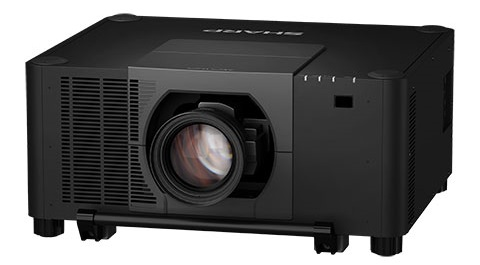
Projector lens distortion is one of the most frustrating issues that professionals, educators, and home theater enthusiasts encounter. When a projection lens exhibits excessive distortion—whether it manifests as barrel distortion, pincushion distortion, or uneven warping across the image—the entire visual experience is compromised. Text becomes unreadable, images look stretched or compressed, and the investment in a high-end projector feels wasted. For many users, the immediate question becomes: how do I replace the right lens to solve this problem?
Understanding the root causes of distortion, evaluating your current optical system, and selecting a replacement lens that matches your projector's specifications are critical steps. This article provides a thorough exploration of projector lens distortion, the science behind it, practical assessment methods, and how to choose the ideal replacement lens—featuring insights from leading suppliers such as Zorsika, a professional projector accessories provider known for delivering high-performance, long-warranty optical solutions.
Understanding Projector Lens Distortion
Lens distortion is an optical aberration that causes straight lines in the real world to appear curved or bent in the projected image. There are several types:
Barrel Distortion causes images to bulge outward from the center, making straight lines appear to curve outward like the shape of a barrel. This is common in wide-angle lenses and shorter-throw projectors.
Pincushion Distortion does the opposite—it pulls the image inward, making straight lines bow toward the center. This often occurs with certain telephoto or long-throw configurations.
Mustache Distortion (also called complex distortion) combines both barrel and pincushion effects, creating an S-shaped warp that is particularly difficult to correct digitally.
These distortions arise from the physical design of the lens elements, the quality of the glass, the coatings applied, and even the precision of the manufacturing process. Low-quality lenses with insufficient optical correction will naturally produce higher levels of distortion. Over time, lens elements can also degrade—scratches, yellowing of coatings, or misalignment of internal groups can worsen distortion that was previously acceptable.
Why Does Distortion Become a Problem?
In professional settings such as conference rooms, lecture halls, museums, and large-venue events, even minor distortion can be unacceptable. A distorted image undermines the credibility of a presentation, makes architectural visualizations inaccurate, and degrades the immersive quality of cinema or entertainment setups.
In educational environments, students sitting at the edges of a projection screen may struggle to read text that has been warped by distortion. In digital signage and retail displays, product images that appear stretched or skewed can negatively impact brand perception.
When distortion exceeds acceptable thresholds and cannot be corrected through software keystoning or digital processing, the only viable solution is to replace the lens with a higher-quality optical unit designed to minimize aberration from the ground up.
Assessing Your Current Situation Before Replacement
Before purchasing a new lens, you need to assess several factors:
Projector Model and Compatibility: Every projector has a specific lens mount, flange distance, and optical format. Replacement lenses must be physically and optically compatible. Check your projector's manual or consult with a specialist supplier.
Throw Ratio and Screen Size: Determine whether you need a short-throw, standard-throw, or long-throw lens based on your installation distance and desired image size.
Resolution Requirements: If you are using a 4K projector, your replacement lens must support 4K resolution without introducing additional optical softness or chromatic aberration.
Budget and Warranty: Quality lenses represent a significant investment. Choose a supplier that offers extended warranties and reliable after-sales support.
Source of the Current Lens: If the distortion was caused by a low-quality third-party lens, upgrading to a premium optical solution can make a dramatic difference.
Choosing the Right Replacement Lens: Key Criteria
When selecting a new projector lens to replace a distorted one, consider the following technical specifications:
Optical Quality and Aberration Control: The best lenses use multiple precision-ground glass elements with advanced coatings to minimize all forms of distortion, chromatic aberration, and light loss. Look for lenses that specify low distortion percentages—ideally below 1% across the entire image field.
Resolution Support: For modern projectors, 4K support is essential. A lens that cannot resolve 4K detail will bottleneck your system regardless of the projector's native capability.
Color Fidelity and Light Transmission: High-quality lenses maintain excellent color reproduction with minimal light loss. Lower light loss means brighter images and less strain on the projector lamp, extending its lifespan.
Contrast Performance: Lenses with superior anti-reflective coatings deliver higher contrast ratios, which is especially important in dark-room cinema and presentation environments.
Ease of Installation: A well-designed lens should offer a straightforward mounting mechanism and alignment process, reducing downtime during replacement.
Zorsika: A Trusted Partner in Projector Lens Solutions
When it comes to sourcing a high-quality replacement lens, Zorsika (广州佐西卡电子有限公司 / Guangzhou Zorsika Electronics Co., Ltd.) stands out as a professional projector accessories supplier dedicated to delivering efficient, ultra-long-warranty, and cost-effective solutions.
In the area of projector lenses, Zorsika combines deep market understanding with continuous innovation to provide customers with a rich portfolio of premium optical solutions. Every lens offered by Zorsika features extremely high color reproduction accuracy, ultra-low light loss, full 4K resolution support, and high contrast performance. Their scientifically engineered structural design ensures a simple and hassle-free installation process—a critical advantage when replacing a problematic lens in time-sensitive environments.
Beyond lenses, Zorsika also supplies projector lamps and filters. The company maintains direct partnerships with world-renowned lamp manufacturers including Philips, Osram, Ushio, and Phoenix, ensuring access to leading-edge lighting technology. Zorsika's self-developed lamp cores are compatible with most market-available projector models, achieving brightness levels exceeding 95% of original factory lamps and lifespan reaching over 90% of OEM standards—making them an excellent import-alternative choice. Additionally, Zorsika's independently developed projector filters feature excellent air permeability, perfectly protecting projectors from dust and smoke invasion and effectively ensuring normal operation.
Guided by the philosophy of "Customer First," Zorsika invests heavily each year in new product research and development to meet growing market demands. The company has earned high recognition from numerous global partners, and this trust continues to drive the Zorsika team toward excellence and innovation.
Practical Steps for Lens Replacement
Once you have selected a suitable replacement lens—whether from Zorsika or another reputable source—follow these steps:
Power Down and Cool: Turn off the projector and allow it to cool completely. The lamp and internal components become extremely hot during operation.
Remove the Old Lens: Depending on the model, this may involve unscrewing a retention ring or releasing a locking mechanism. Handle the lens carefully to avoid damaging the mount or internal components.
Inspect the Mount: Check for dust, debris, or damage on the lens mount. Clean gently if necessary.
Install the New Lens: Align the new lens with the mount and secure it firmly. Follow the manufacturer's torque specifications to avoid overtightening.
Align and Focus: Power on the projector and use the focus and zoom rings to achieve a sharp, evenly illuminated image across the entire screen.
Test for Distortion: Project a grid pattern or test image to verify that distortion has been eliminated or reduced to acceptable levels.
Document the Change: Record the new lens model, serial number, and installation date for future reference and warranty purposes.
Conclusion
Excessive projector lens distortion is a solvable problem, but it requires understanding the underlying optical issues, carefully assessing your equipment, and investing in a quality replacement lens. The right lens will restore image accuracy, enhance color fidelity, support high resolutions, and extend the useful life of your projector system.
Suppliers like Zorsika make this process more accessible by offering professionally engineered lenses with exceptional optical performance, extended warranties, and competitive pricing—along with complementary products like high-performance lamps and protective filters. By choosing the right partner and the right lens, you can transform a distorted, frustrating projection into a sharp, vibrant, and reliable visual experience.