






When choosing a lens for an engineering projector, match the projector model first. The full compatibility list for the WD303 is in this article.
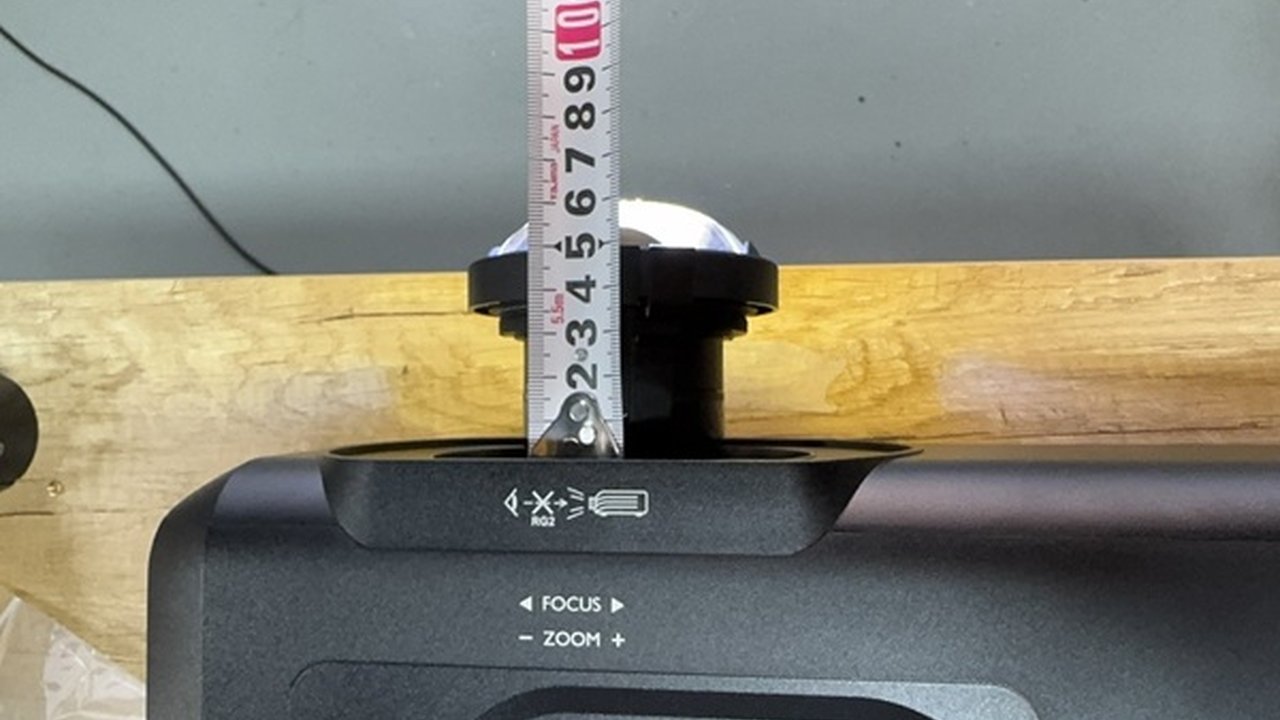
Zorsika WD303 Projector Lens
Specifications
| Lens Model | WD303 |
| Compatible Brand | Ricoh |
| Compatible Projector Brightness | 6500 lumens |
| Compatible Projector Resolution | 4K (3840×2160) |
| Zoom Ratio | 1.6X |
| Throw Ratio | 0.5:1 |
| Compatible Panel Size | 0.48 inch |
| Number of Compatible Models | 1 |
The above specifications come from the Zorsika product database. For the complete technical datasheet, please contact sales.
WD303 Model Compatibility List (1 model total, with brightness/resolution/zoom ratio)
The following are verified compatible models for the WD303 (Ricoh projectors), with brightness, resolution, and zoom ratio listed for each:
| Projector Model | Brightness | Resolution | Zoom Ratio |
|---|---|---|---|
| PJ LHK5880 | 6500 lumens | 4K (3840×2160) | 1.6X |
Note: Brightness, resolution, and zoom ratio are taken from the Zorsika product database (refer to the projector nameplate/manual for accuracy); lens compatibility is based on the body interface and optical structure. For models not on the list, contact Zorsika technical support for confirmation.
Same Specifications — Why Choose Zorsika
The WD303 is a commonly used lens for projects. Zorsika benchmarks each specification against the original factory parameters, performs resolution testing on every unit before shipment, and guarantees optical quality with data.
Zorsika's equivalent replacement model for the same specifications fits the Ricoh PJ LHK5880 and 1 other model; enter WD303 in the Zorsika official website query system to see the complete model compatibility list.
- Optical Benchmarking: Focal length, throw ratio, and lens groups matched to original factory parameters
- Resolution Testing: Every unit tested before shipment, with traceable MTF data
- Coating Process: Lens coatings at the same level as the original factory, reducing light loss
- Stable Supply: Supports bulk purchasing and project supply
In short: the lens is the optical core — don't gamble on image quality to save a few dollars. Zorsika projector lenses are manufactured to original factory drawings and offer a comprehensive advantage.
Note: Actual imaging performance is affected by the projector's condition and installation environment. Before bulk purchasing, we recommend ordering 1 unit for testing first.
FAQ
Q: Why choose Zorsika instead of the original factory?
A: Zorsika lenses are manufactured to original factory optical drawings, with lens groups, coatings, and throw ratio benchmarked item by item, and resolution testing performed on every unit before shipment. Compared to the original factory, lead times are shorter and the overall value is better; compared to other replacement lenses, optical quality is backed by data.
Q: Can the lens replace the original factory one?
A: The lens is the core of the projector's optical path and directly determines clarity and color. Zorsika lenses (see the specifications table above for the model) are benchmarked item by item against original factory optical parameters (focal length, throw ratio, lens groups), with consistent lens coating processes, delivering sharp imaging with no soft edges; ordinary replacement lenses often use standard glass elements with insufficient coating layers, making brightness loss and color shift obvious at a glance. For engineering and exhibition scenarios, Zorsika is recommended.
Q: My projector isn't on the list of 1 model above — can I use the WD303?
A: The list covers verified models, but it doesn't represent all of them. Same-brand, same-generation engineering projectors often share the same lens interface. It's safer to send photos of the projector nameplate and the original lens to Zorsika technical support for confirmation.
Q: Does the WD303 come with installation instructions?
A: Yes. The lens removal and installation steps for Ricoh models like this are basically the same. Contact Zorsika sales to get illustrated or video instructions for your specific model.
Q: How long is the lens warranty?
A: All Zorsika projector lenses come with a 12-month warranty; for normal use and non-human-caused damage (such as impact, water damage, or unauthorized disassembly), you can contact after-sales service directly. The warranty period is based on the date on the shipment receipt.
Routine Lens Maintenance Tips
- Power off before changing the lens: Before removing or installing the lens, be sure to shut down and wait for the cooling fan to stop, to avoid damaging the interface by operating with power on.
- Don't touch the lens elements: Fingerprints and oil smudges directly affect image quality. Hold the lens by the barrel, not the glass; use an air blower to gently remove dust — don't dry-wipe with a cloth.
- Focus before tightening: After installing properly, test focus first, then tighten the fixing screws, to avoid image drift from loosening during long-term use.
- Keep the interface clean: Dust buildup on the mount and contacts can cause poor contact. Cleaning them while changing the lens is a safer practice.
Related Query Links
- Zorsika Technical Support Center
- Projector Brand and Compatible Model Lookup
- Projector Lamp / Lens / Air Filter Product Library
Purchasing Inquiry
For solution consulting, project proposals, or the complete model compatibility list for the Zorsika WD303, please contact us via:
- Website: www.zorsika.com
- Phone: 0086-20-38551187
- Email: sales@zorsika.com
- Business Hours: Monday to Friday, 9:00-18:00
The lens models and compatible model data in this article come from the Zorsika product database. Data is continuously updated; please confirm with an actual inquiry.